

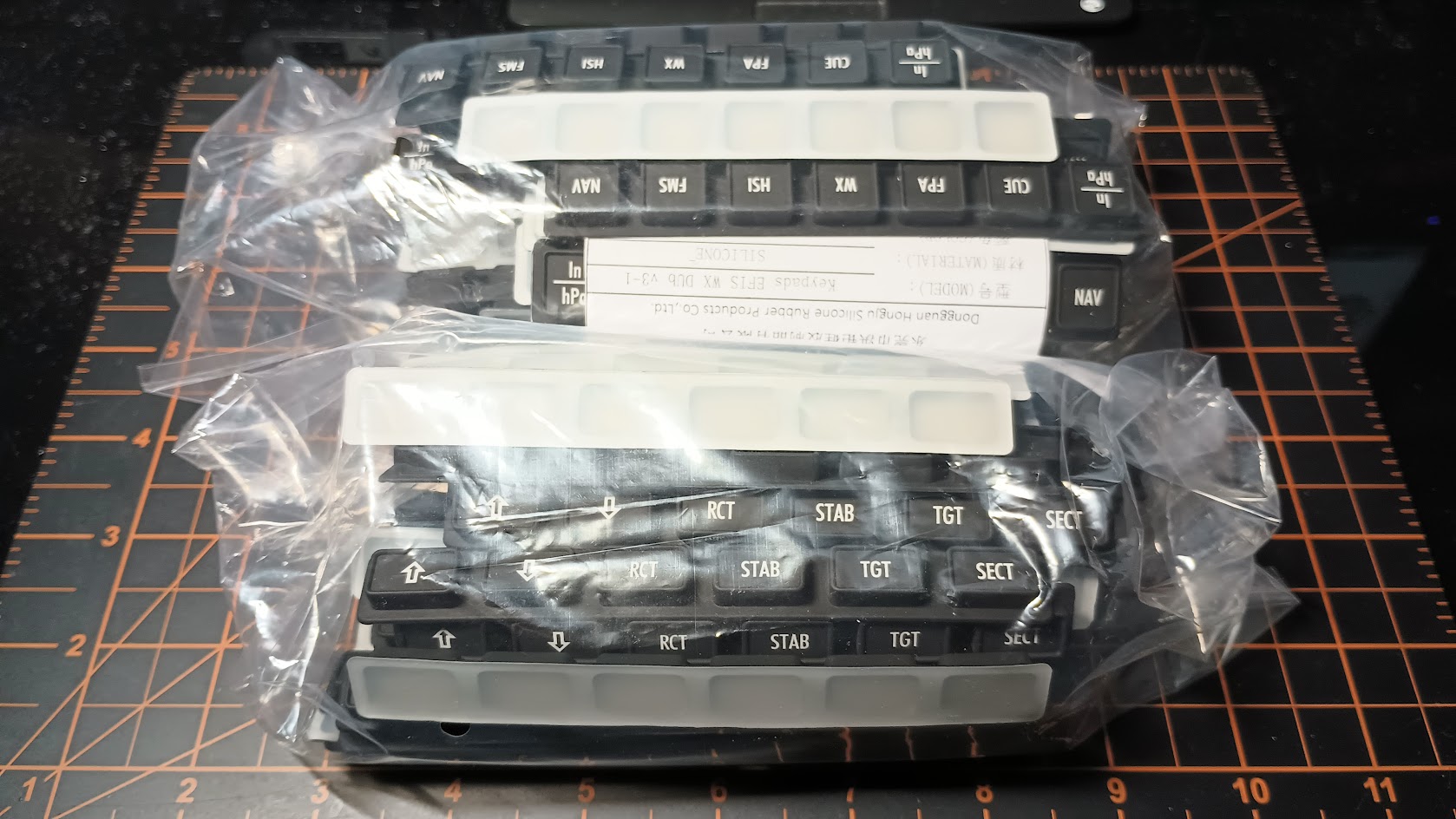
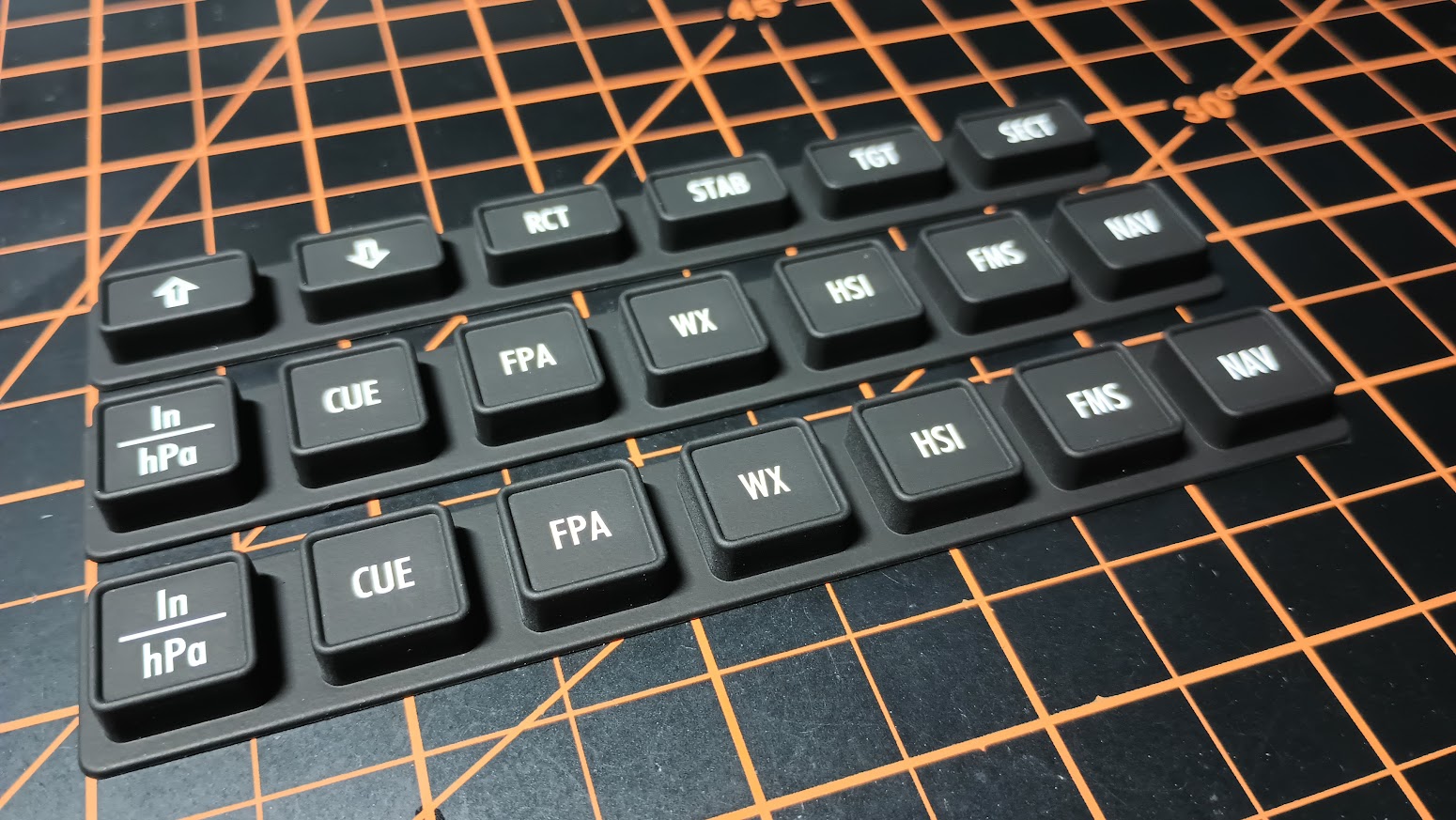
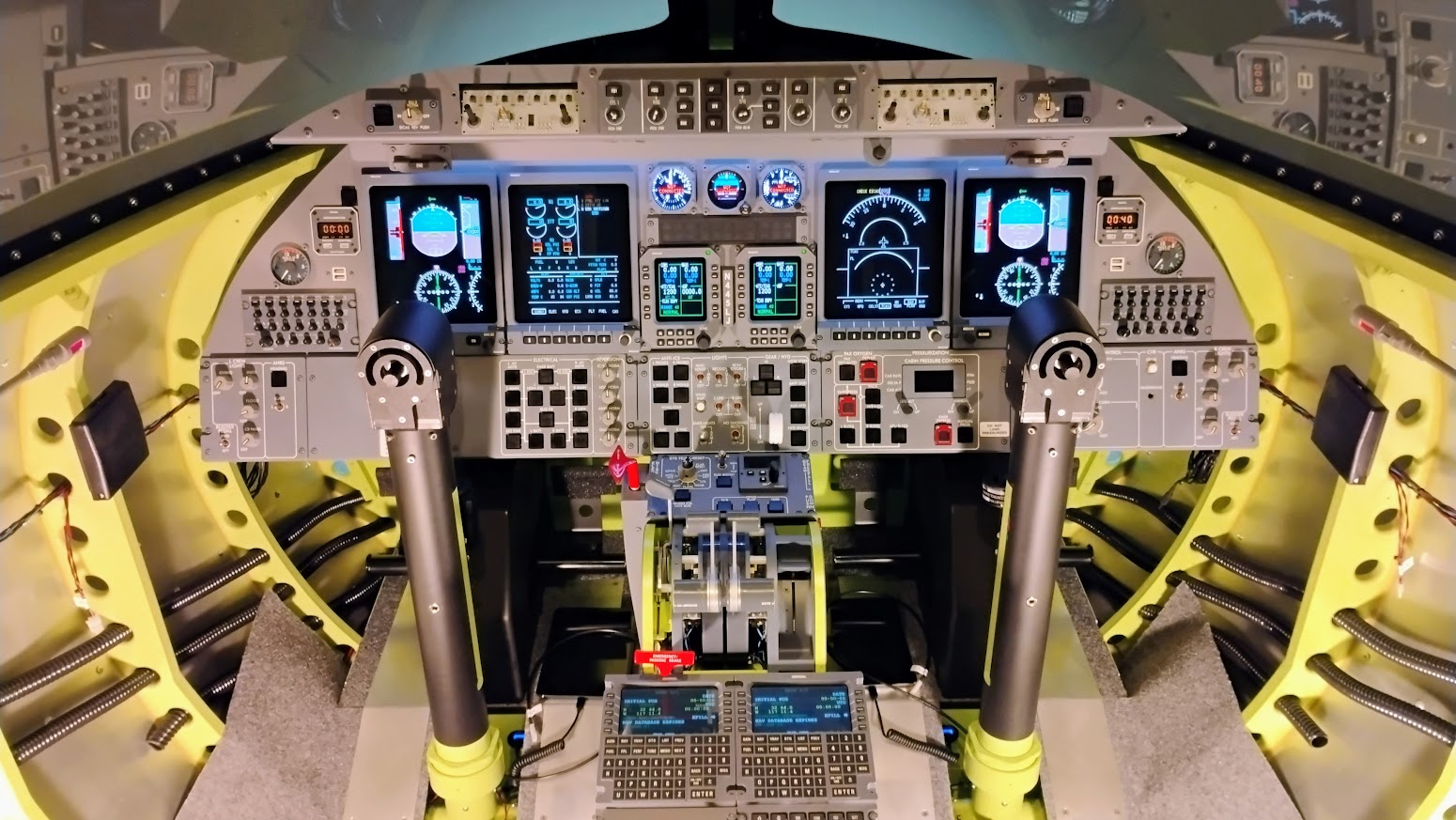
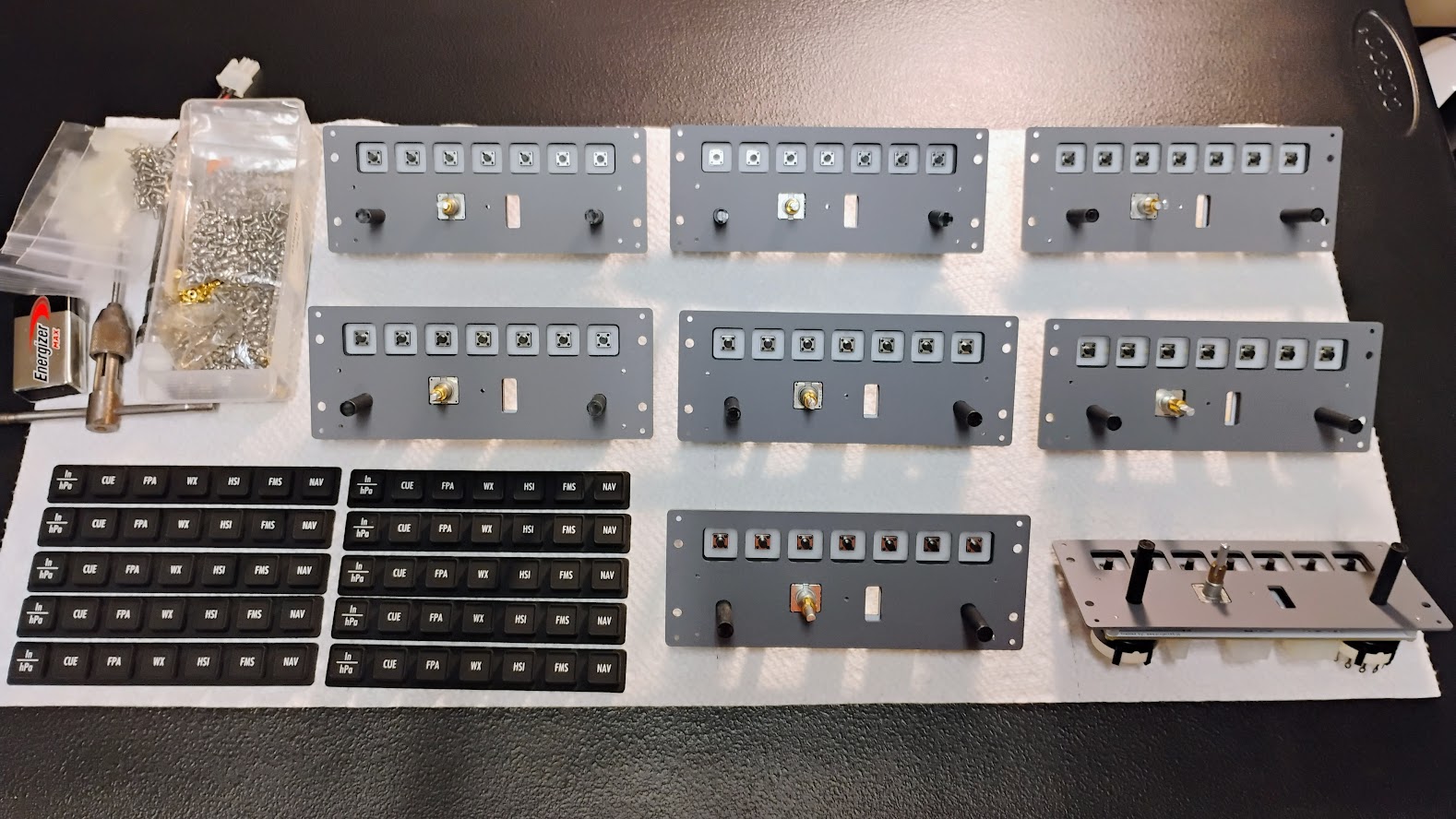
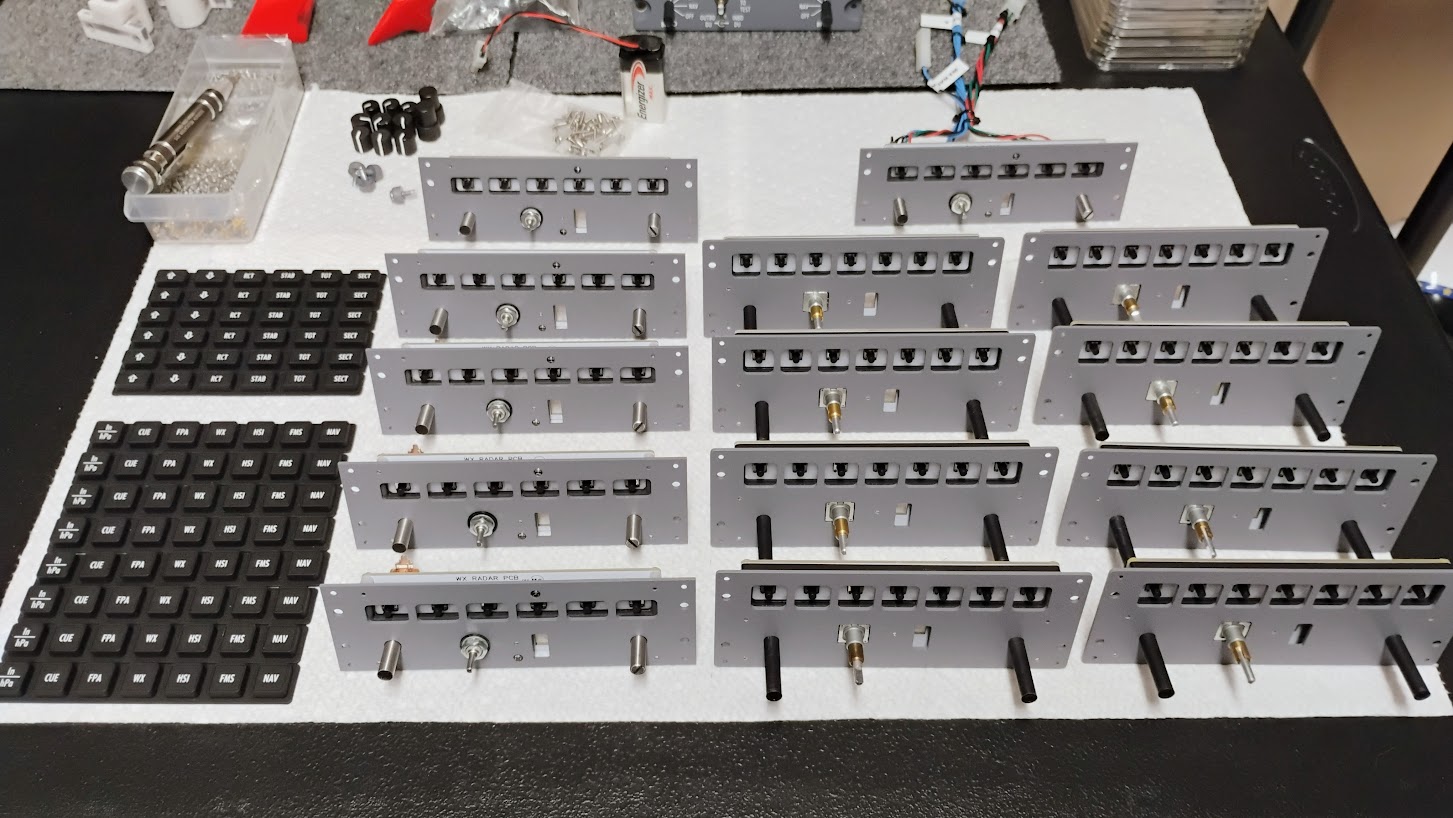
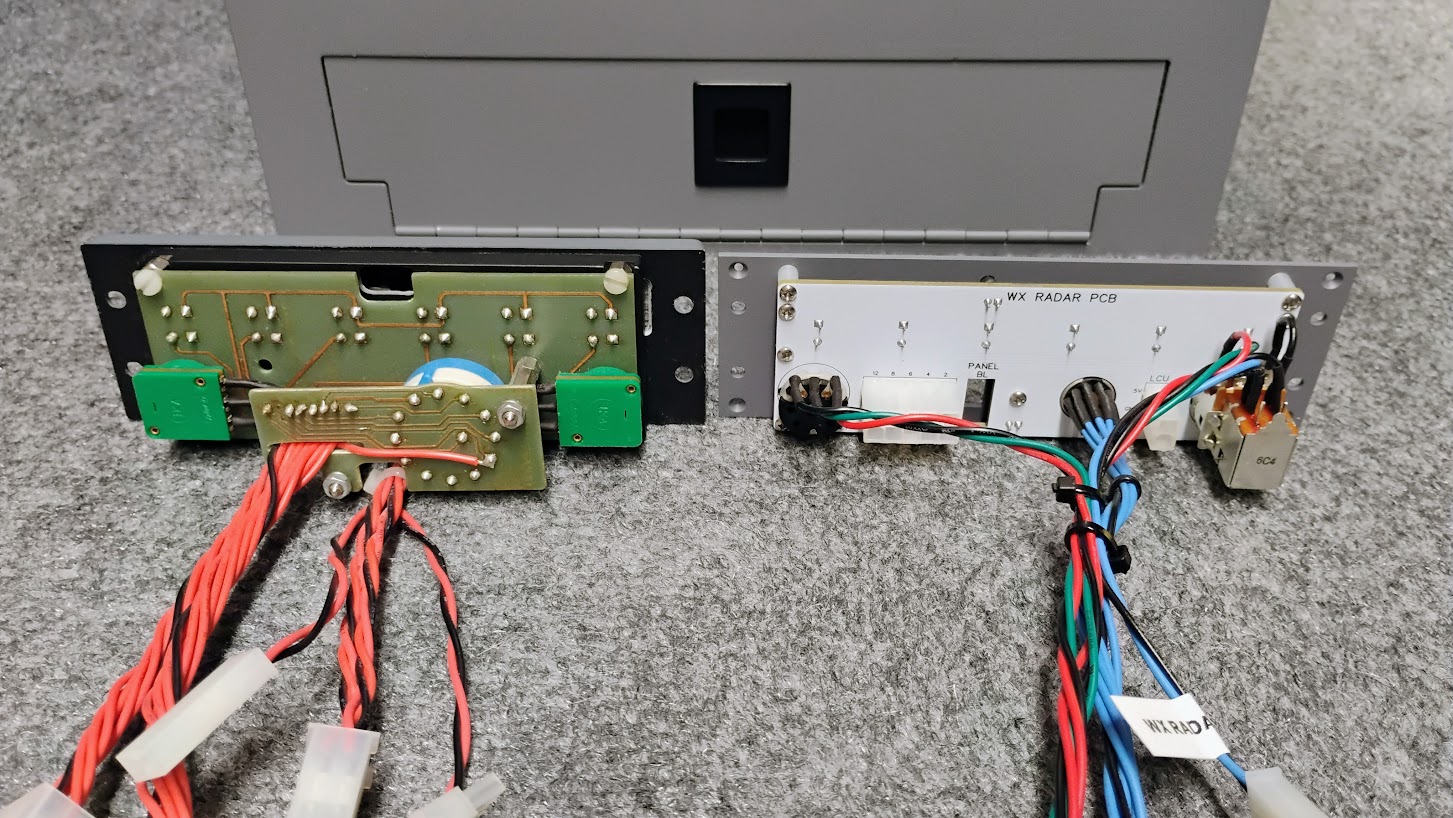
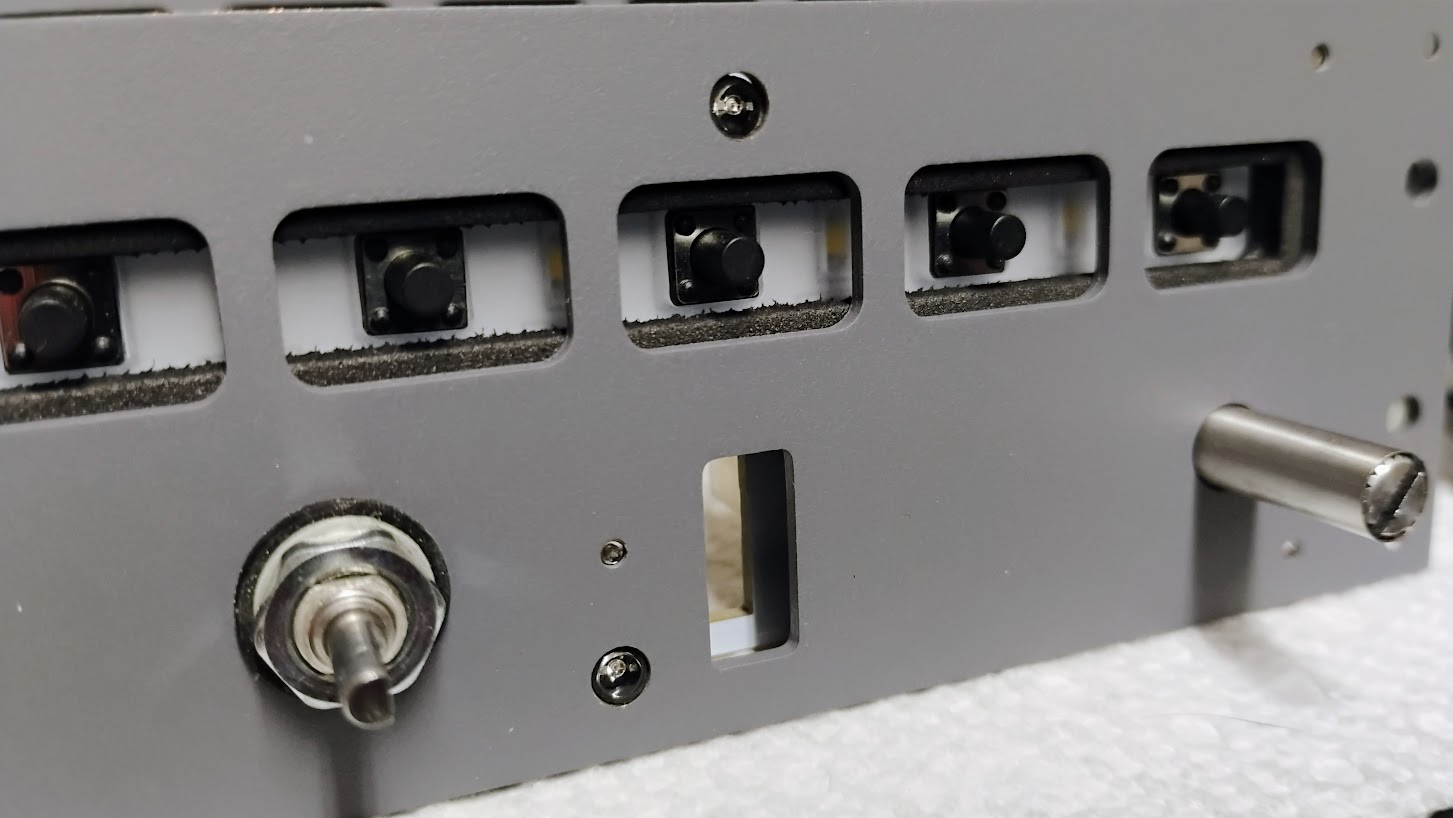
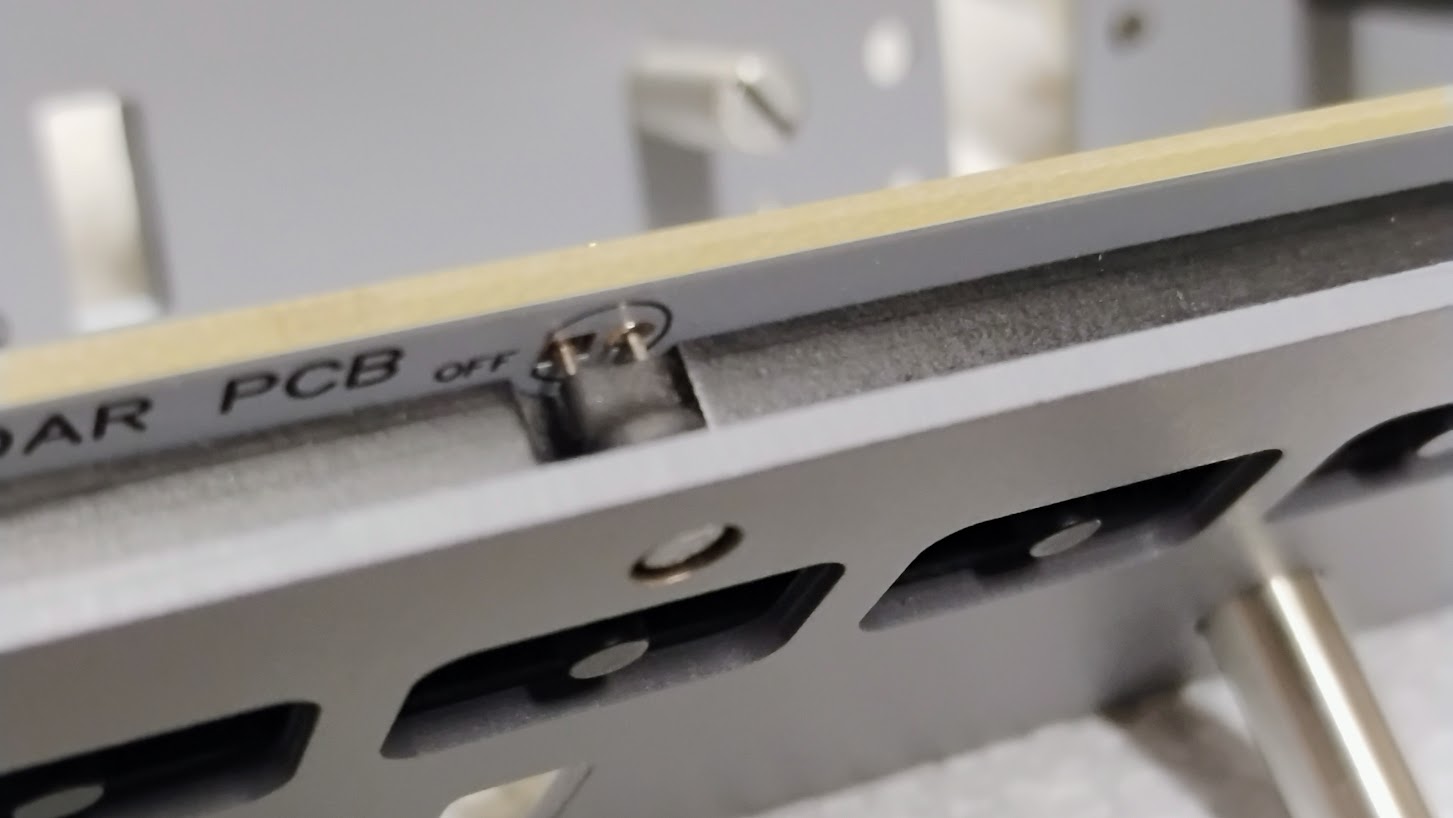
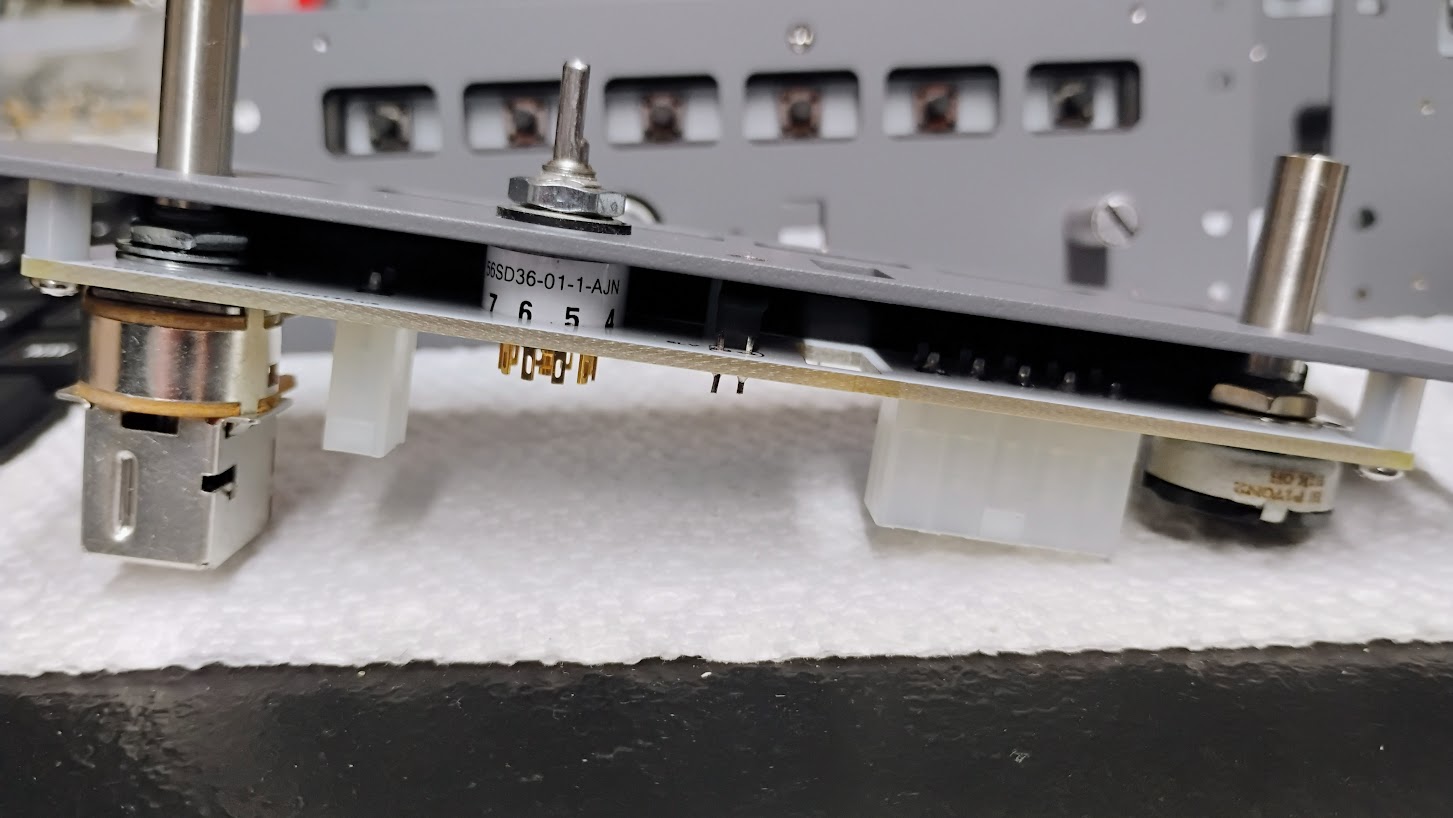
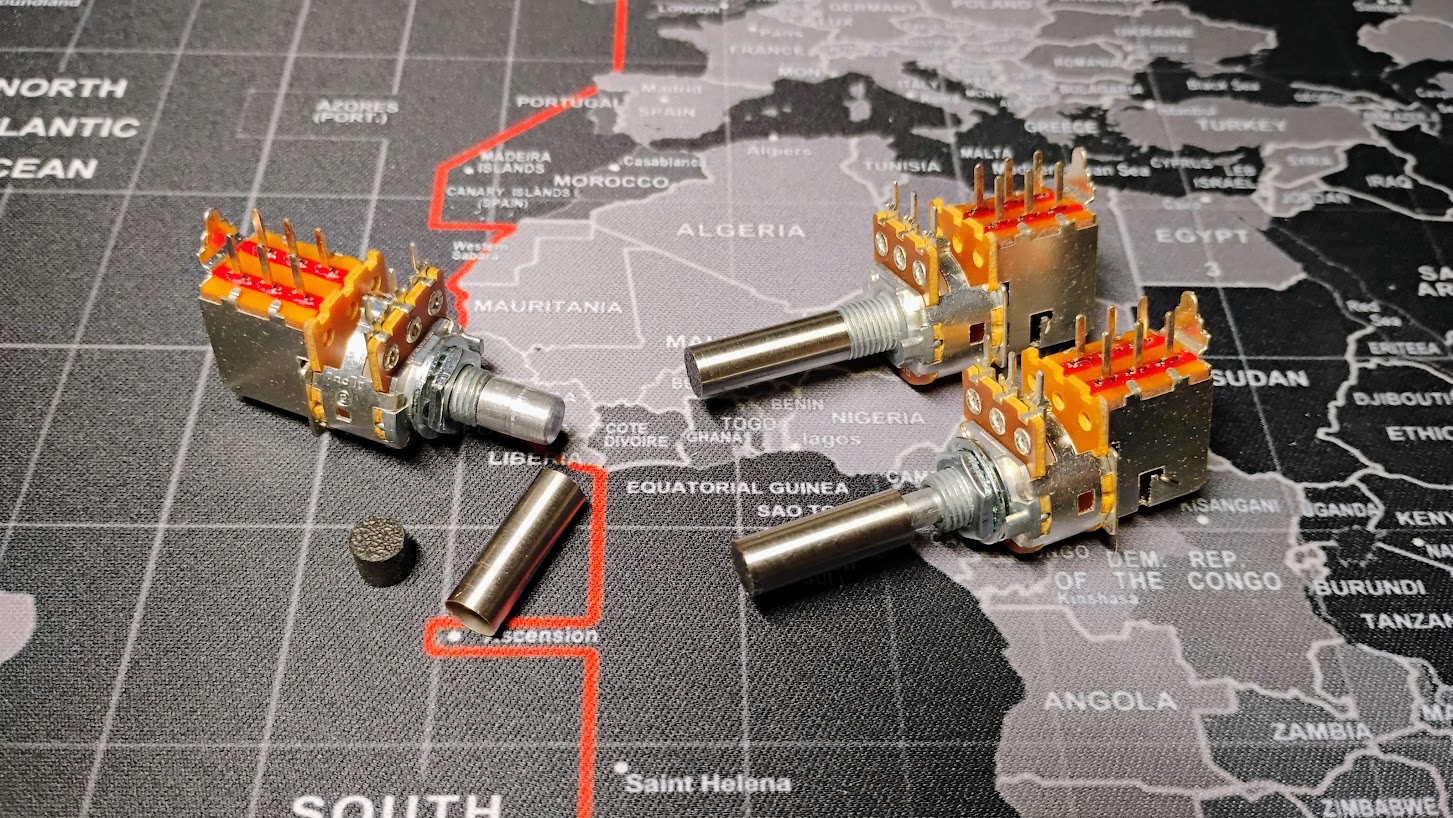
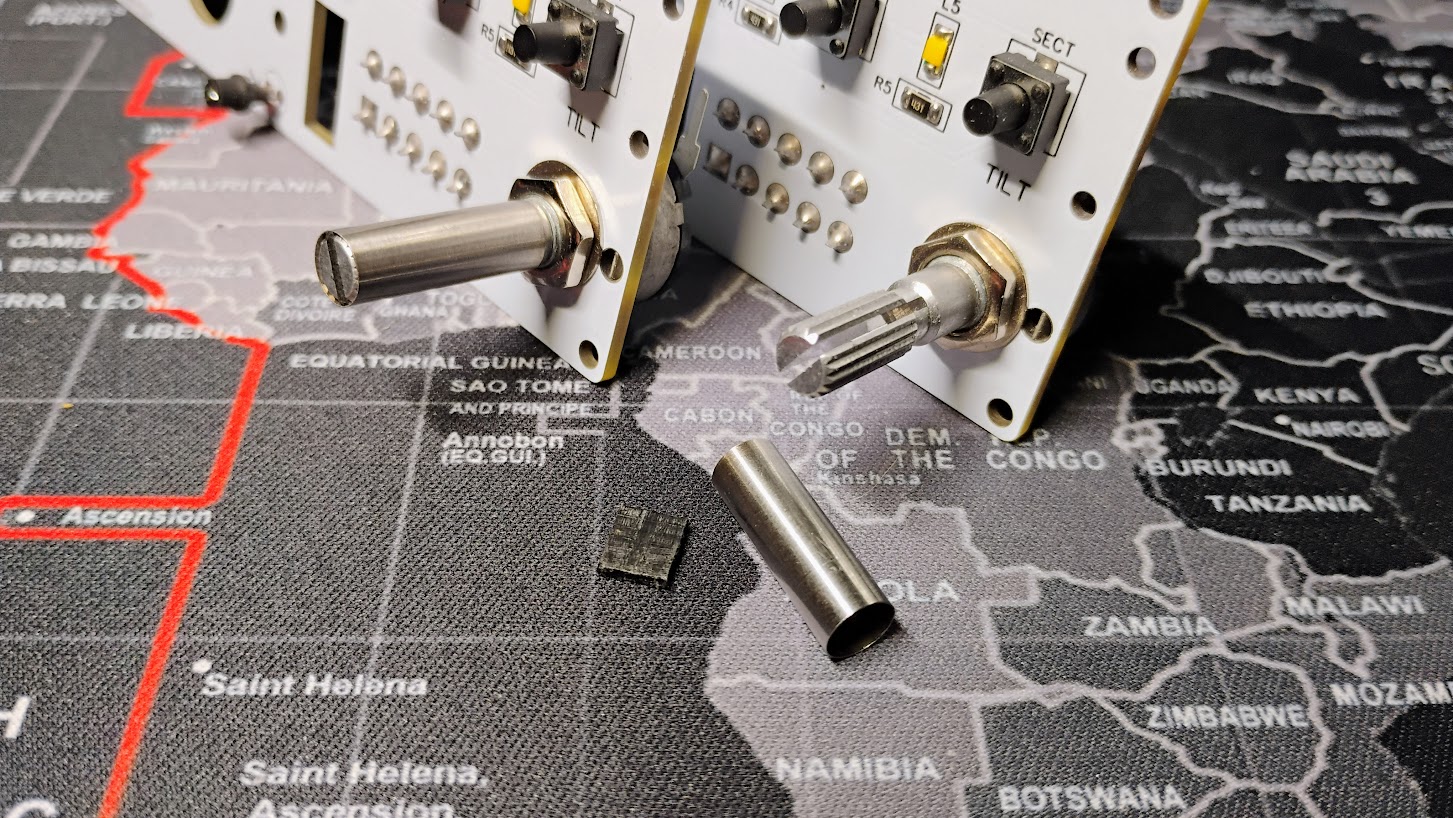
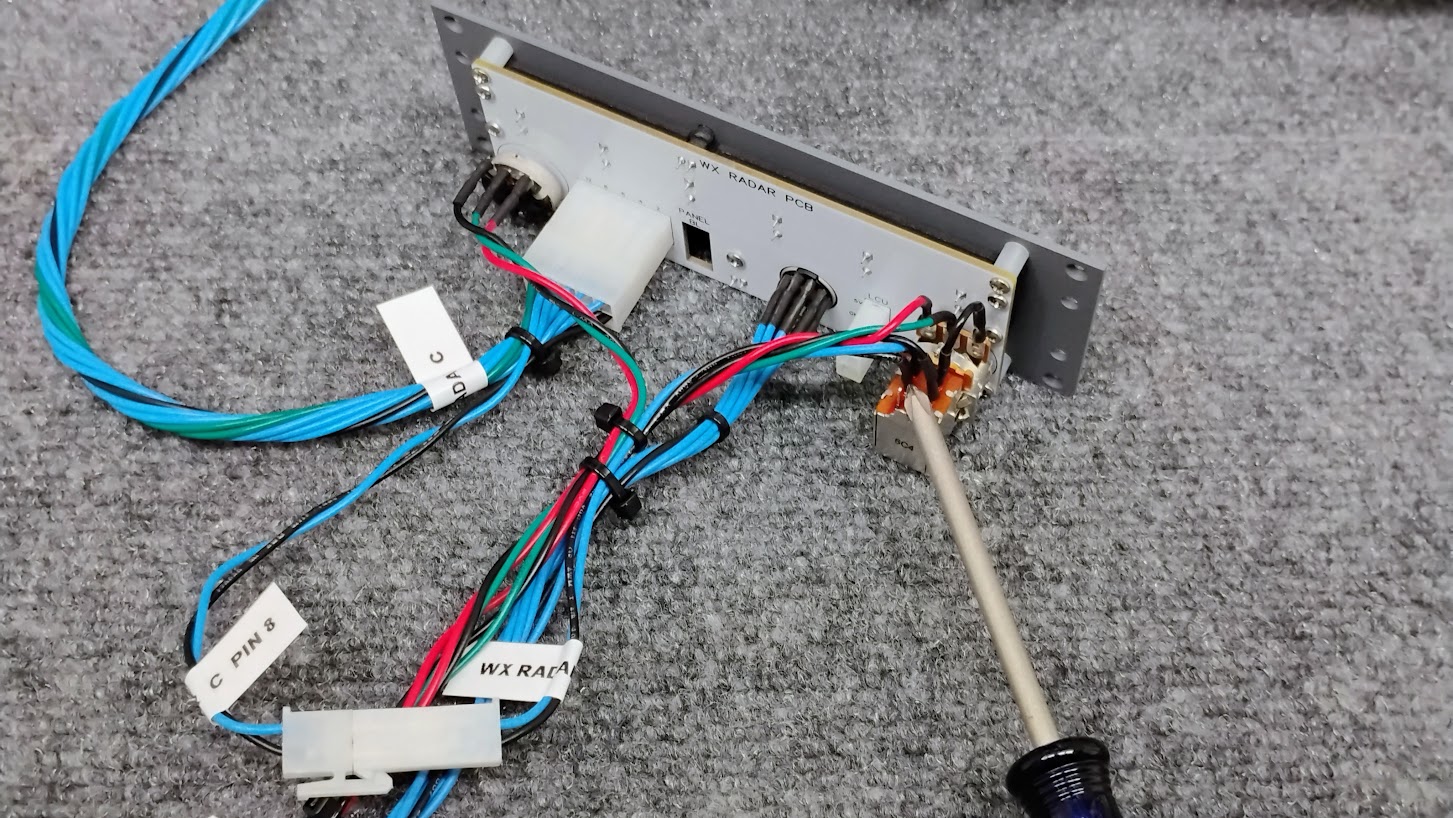
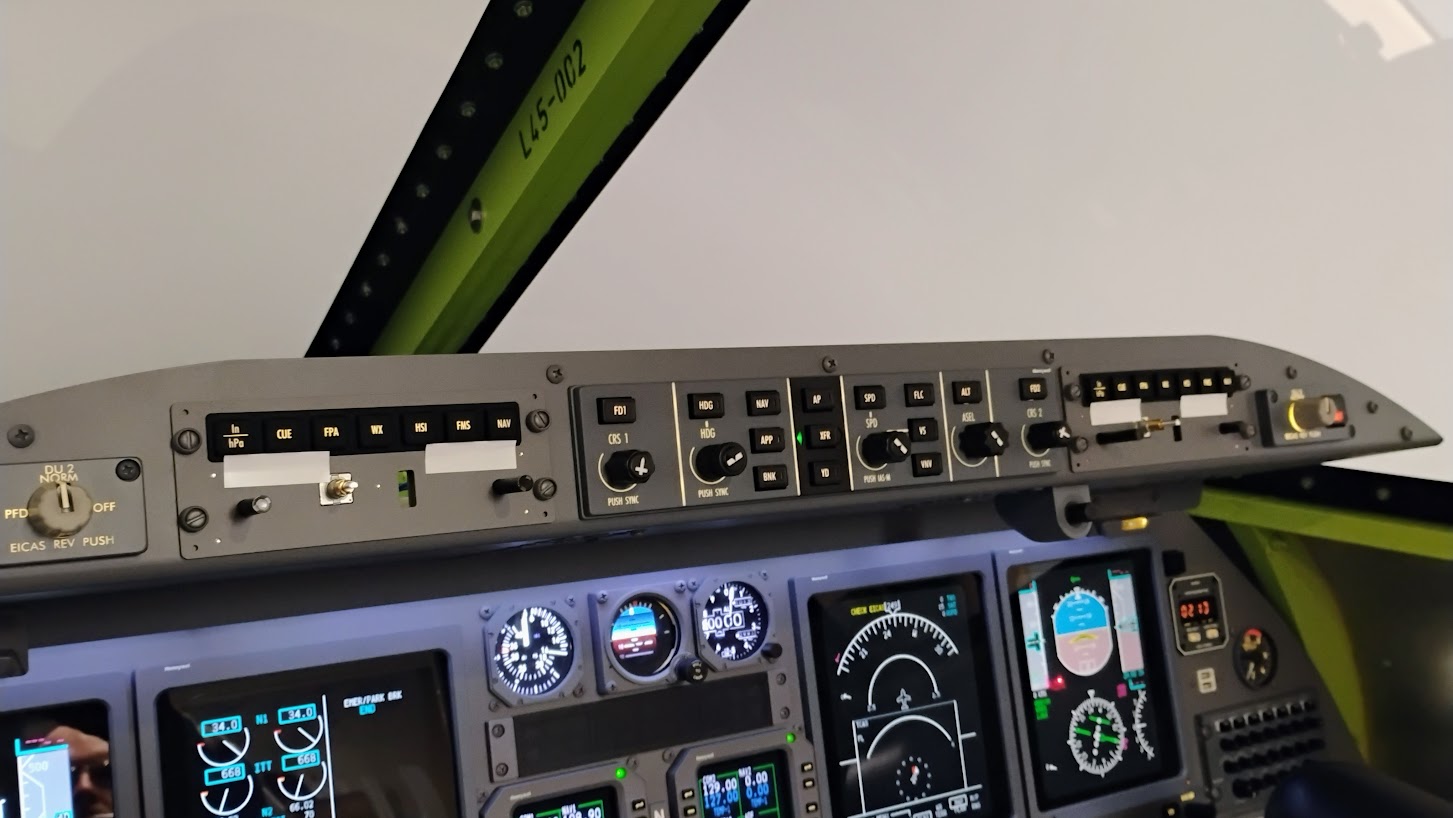
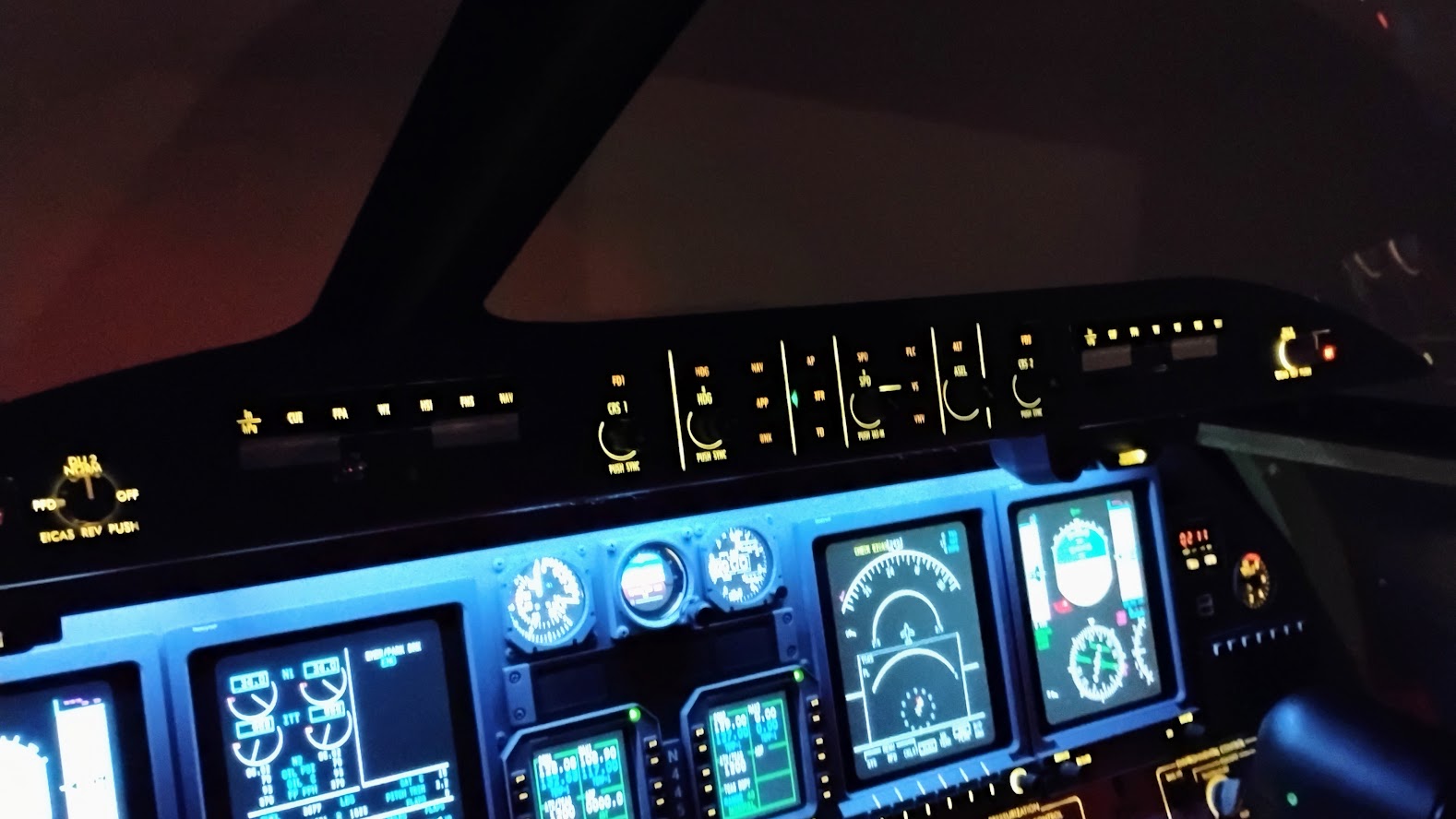
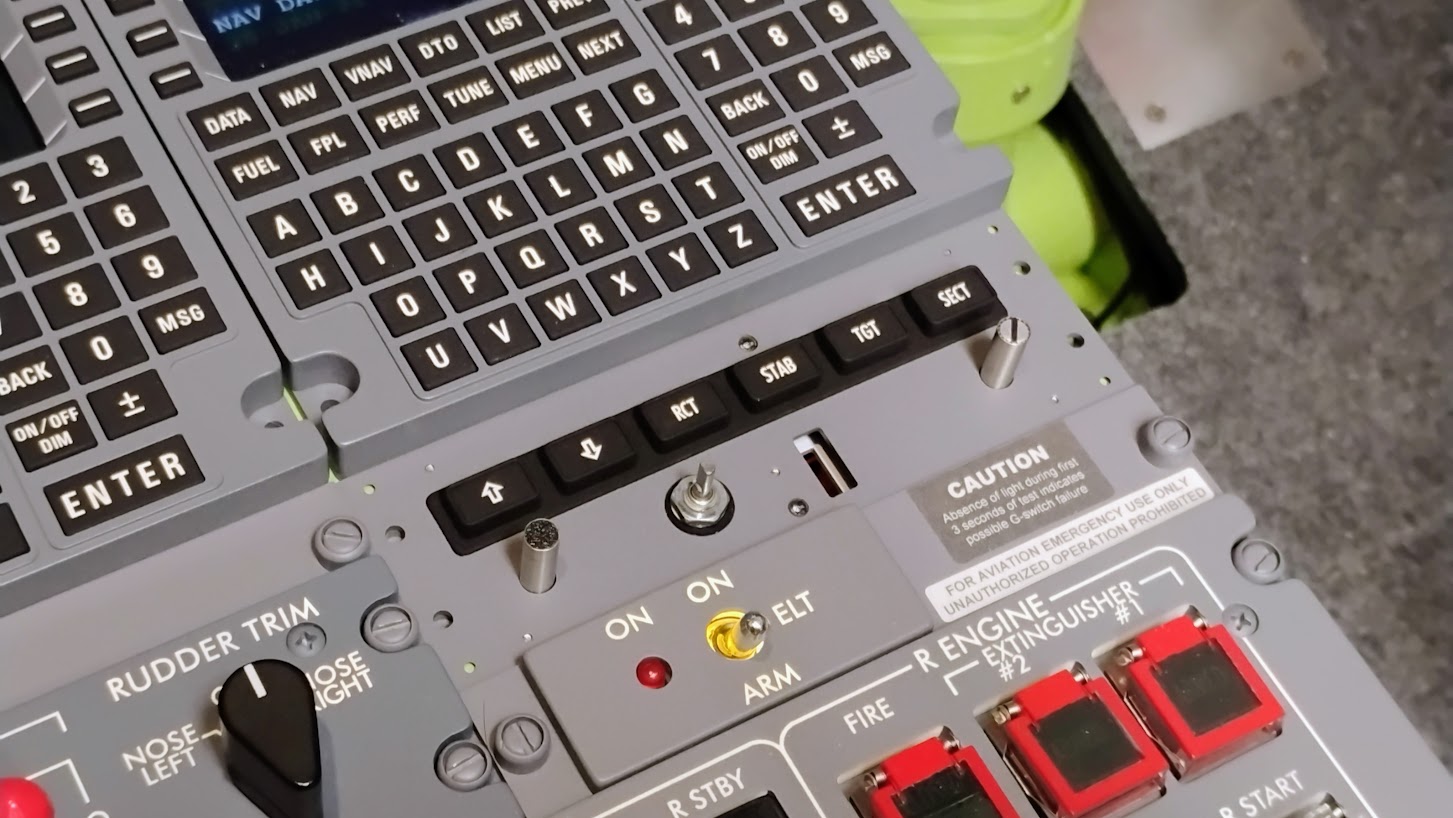
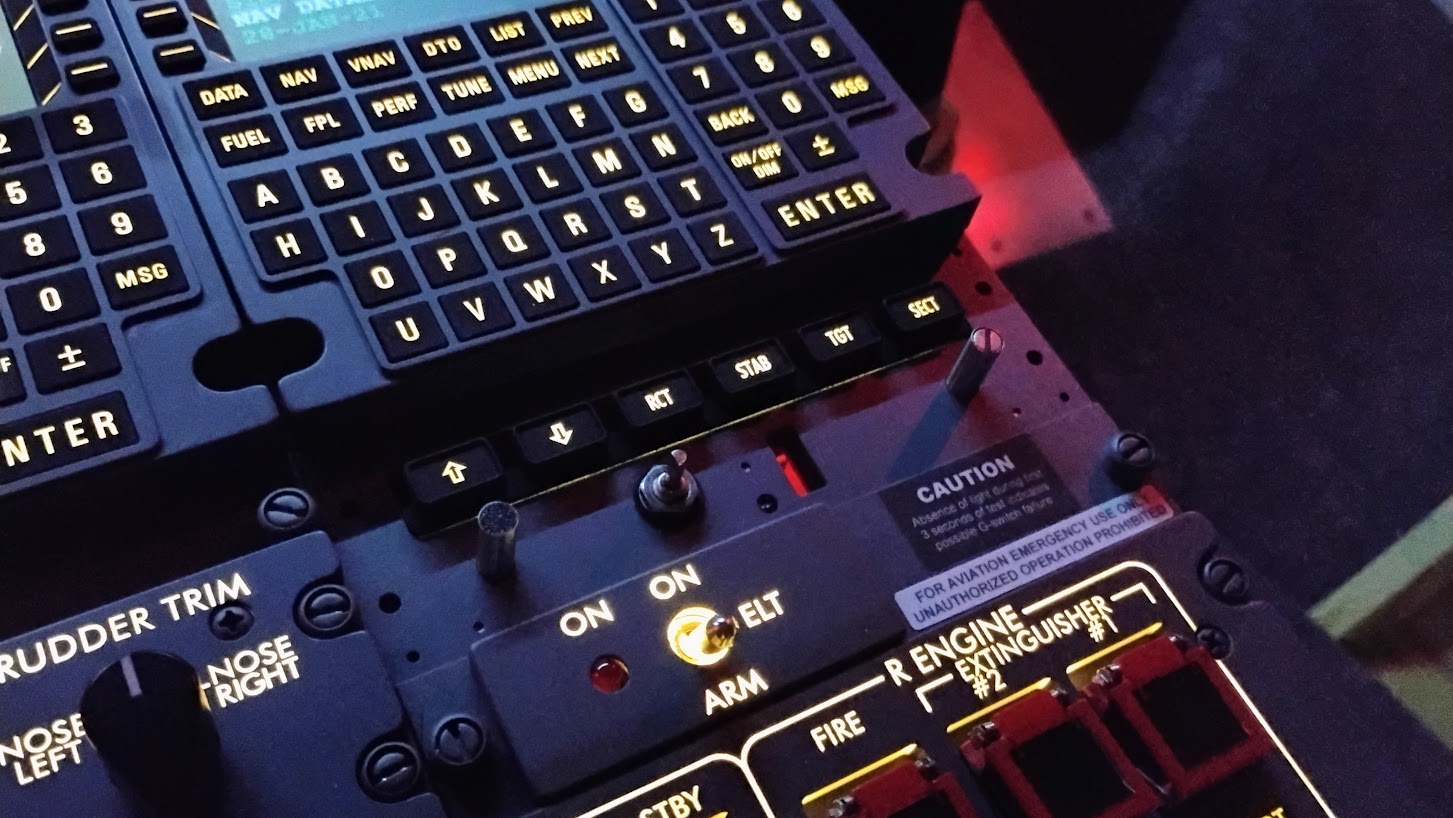
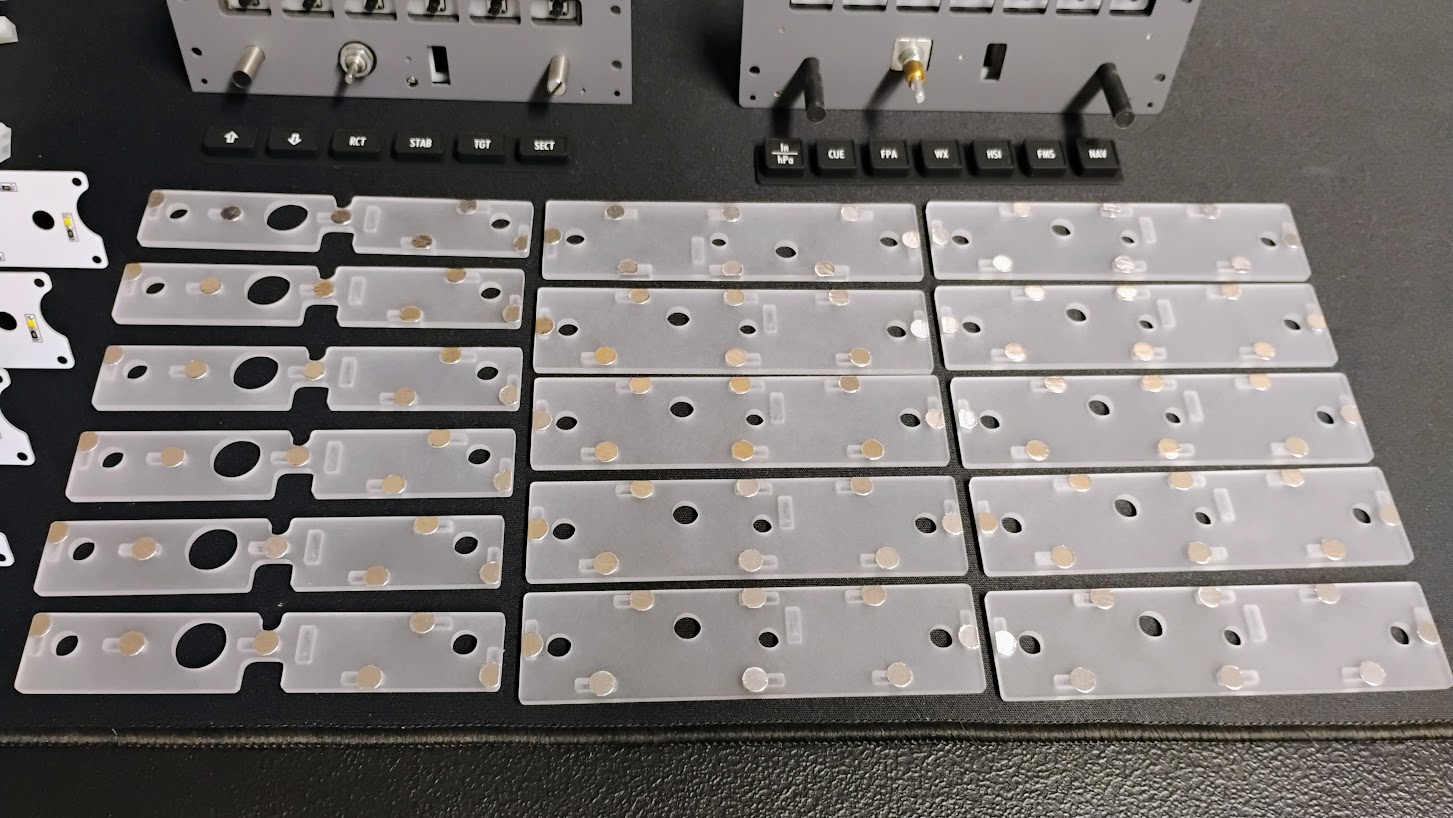
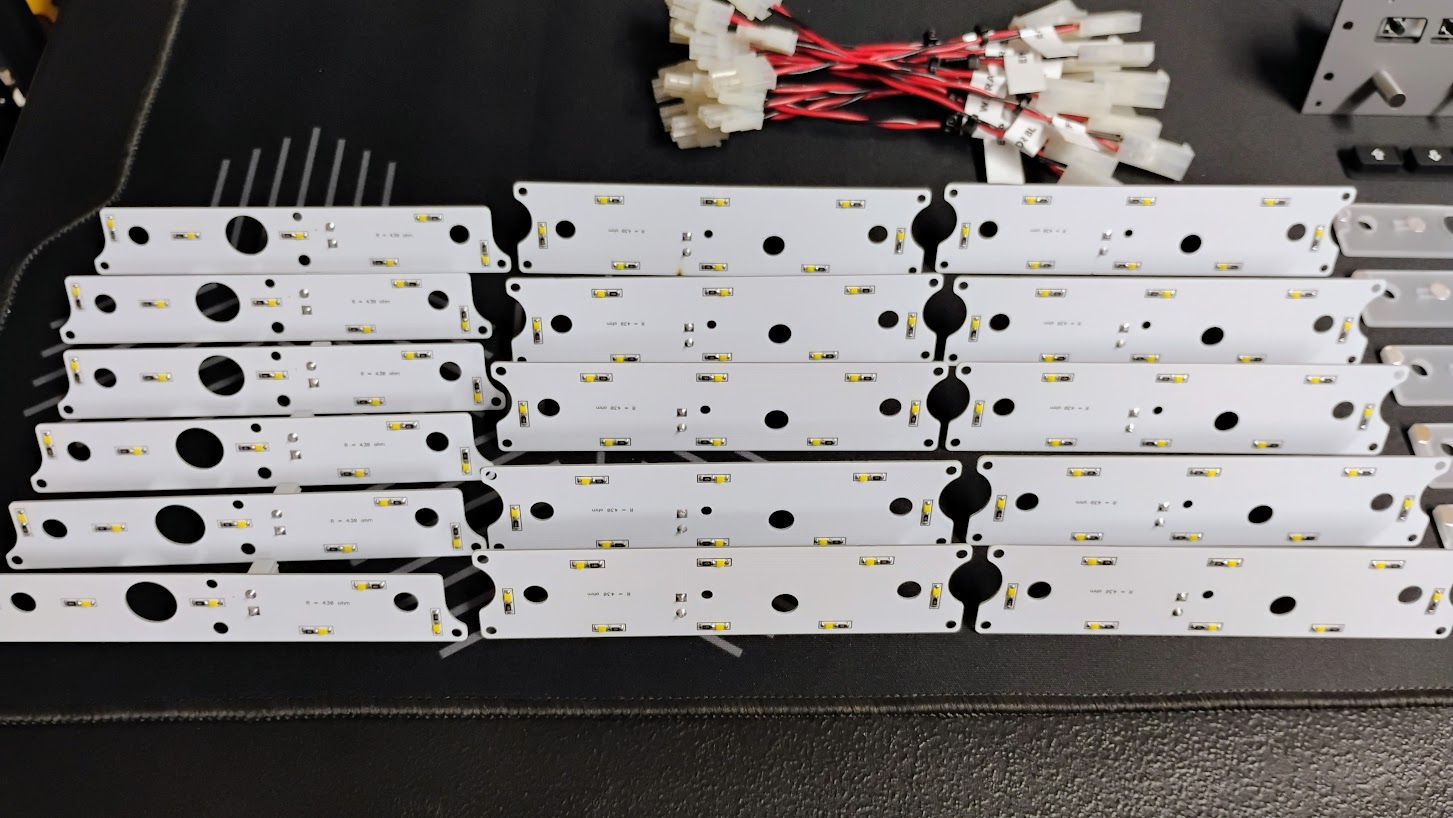
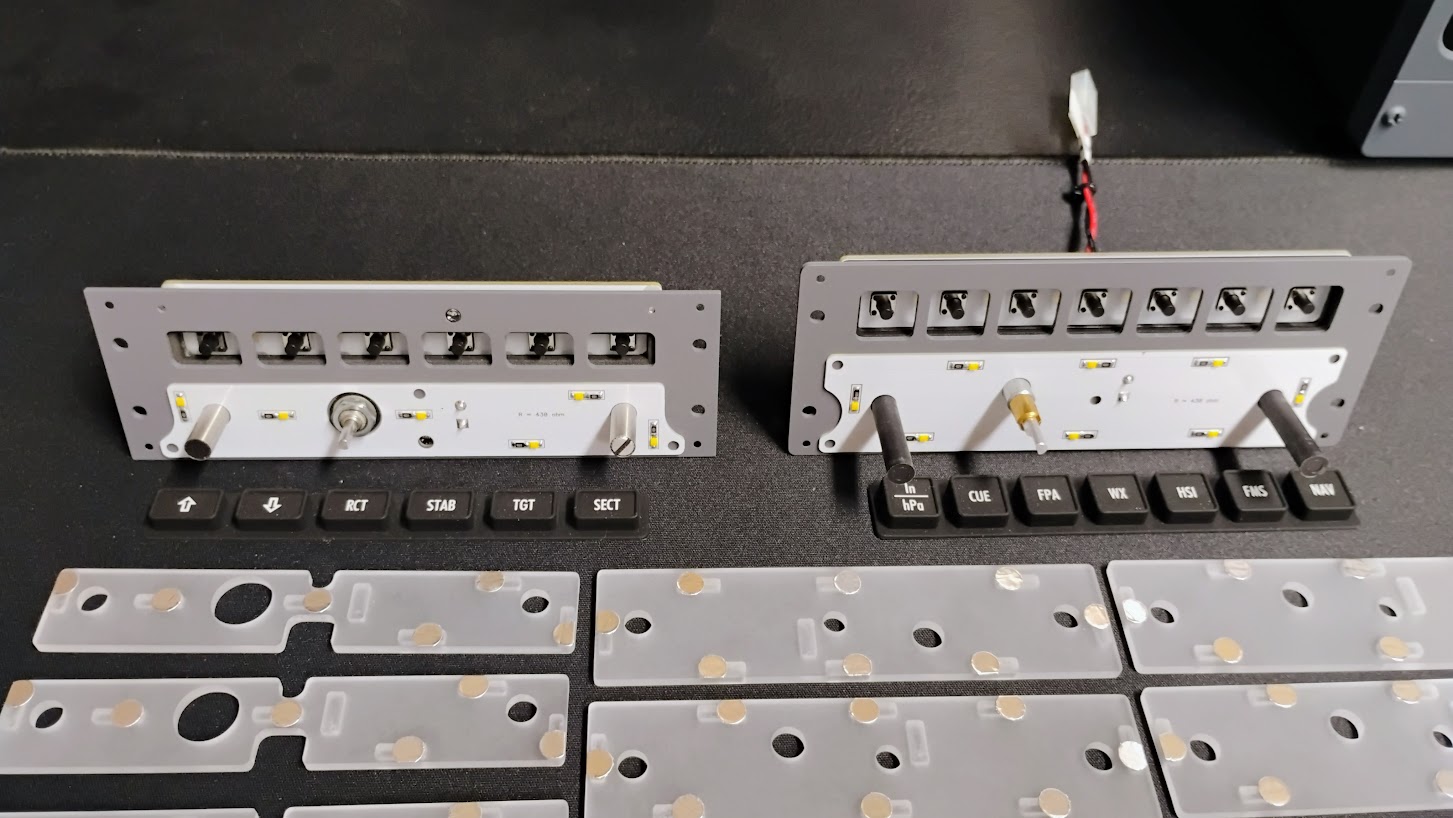
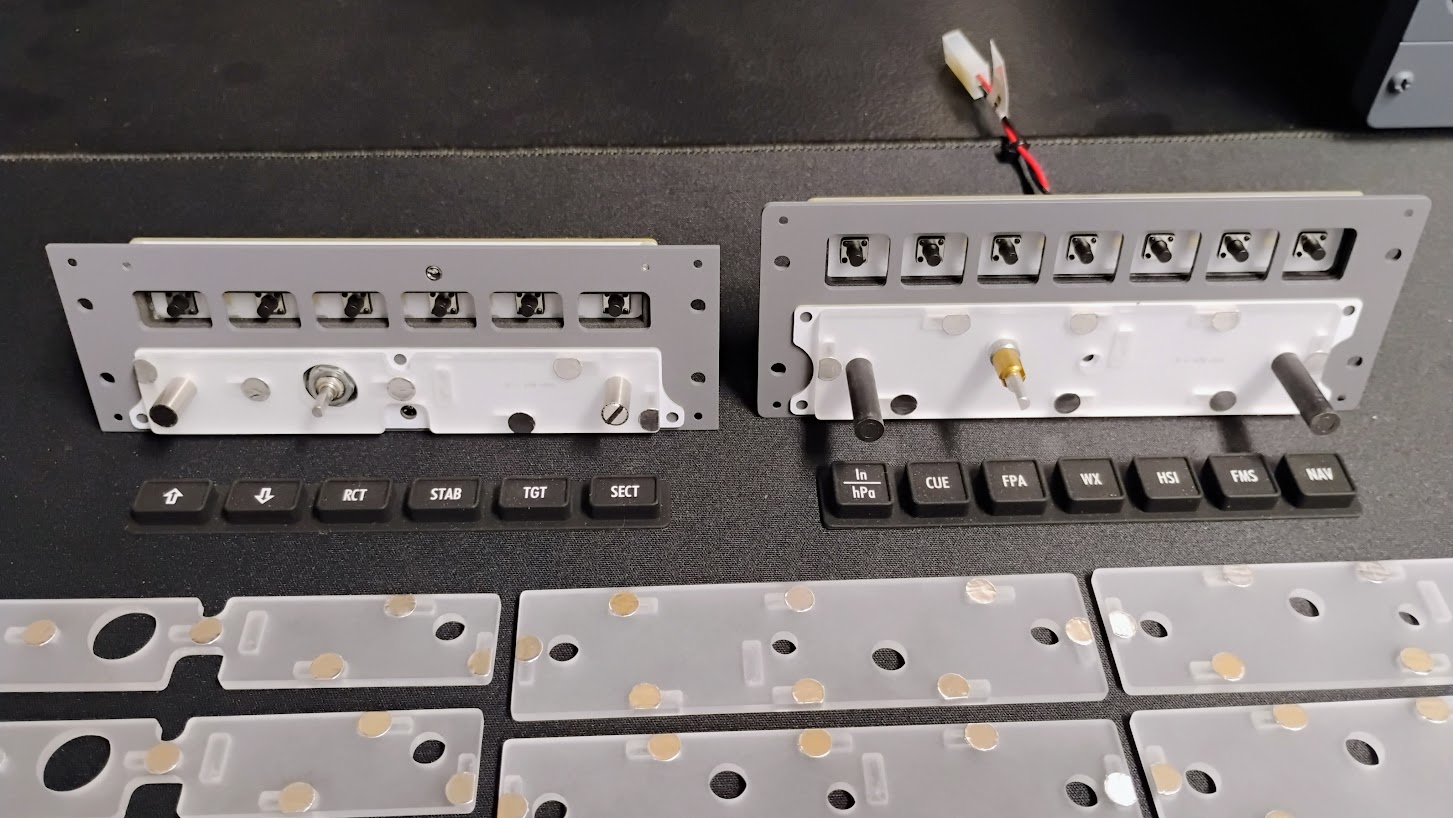
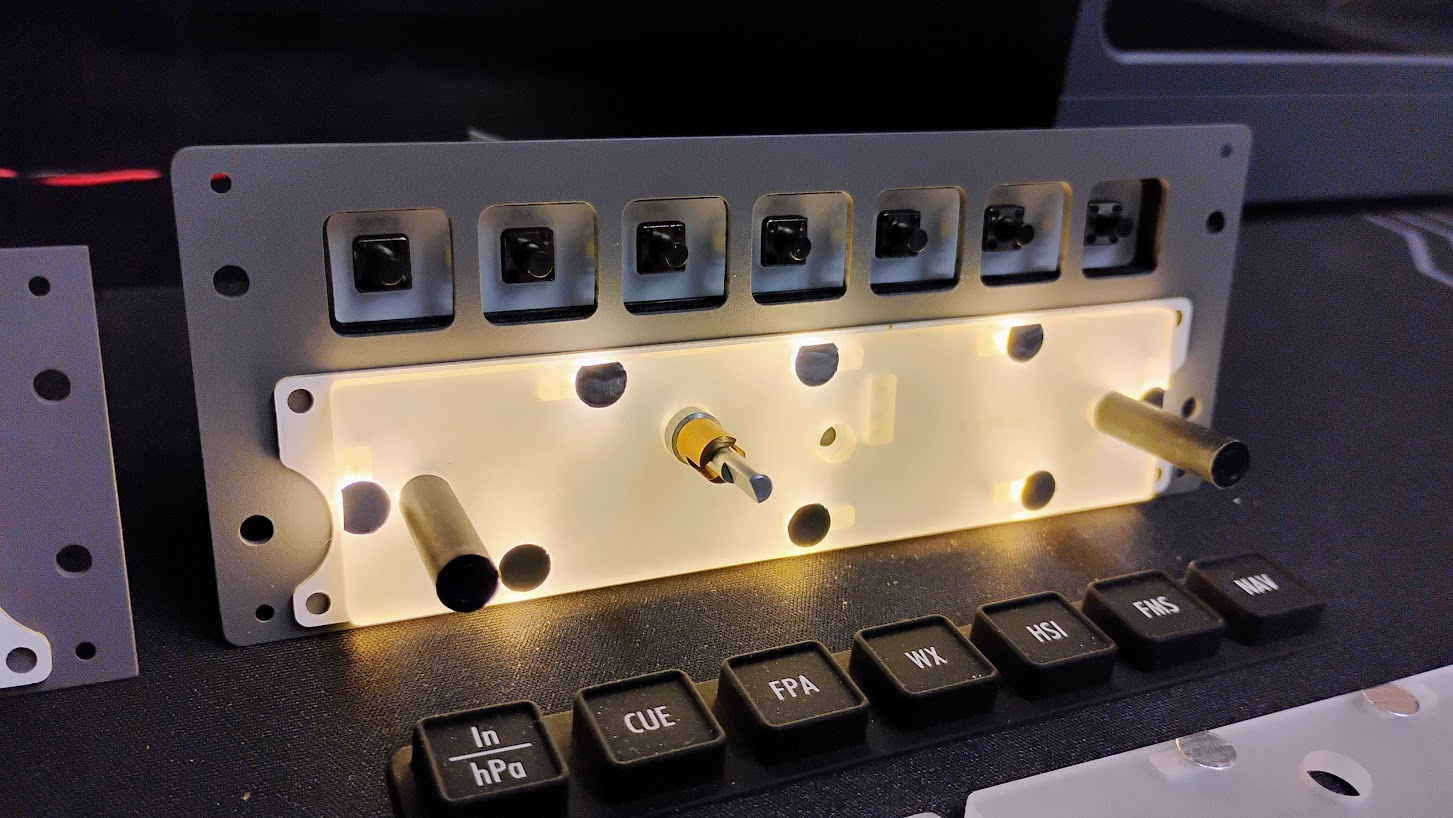
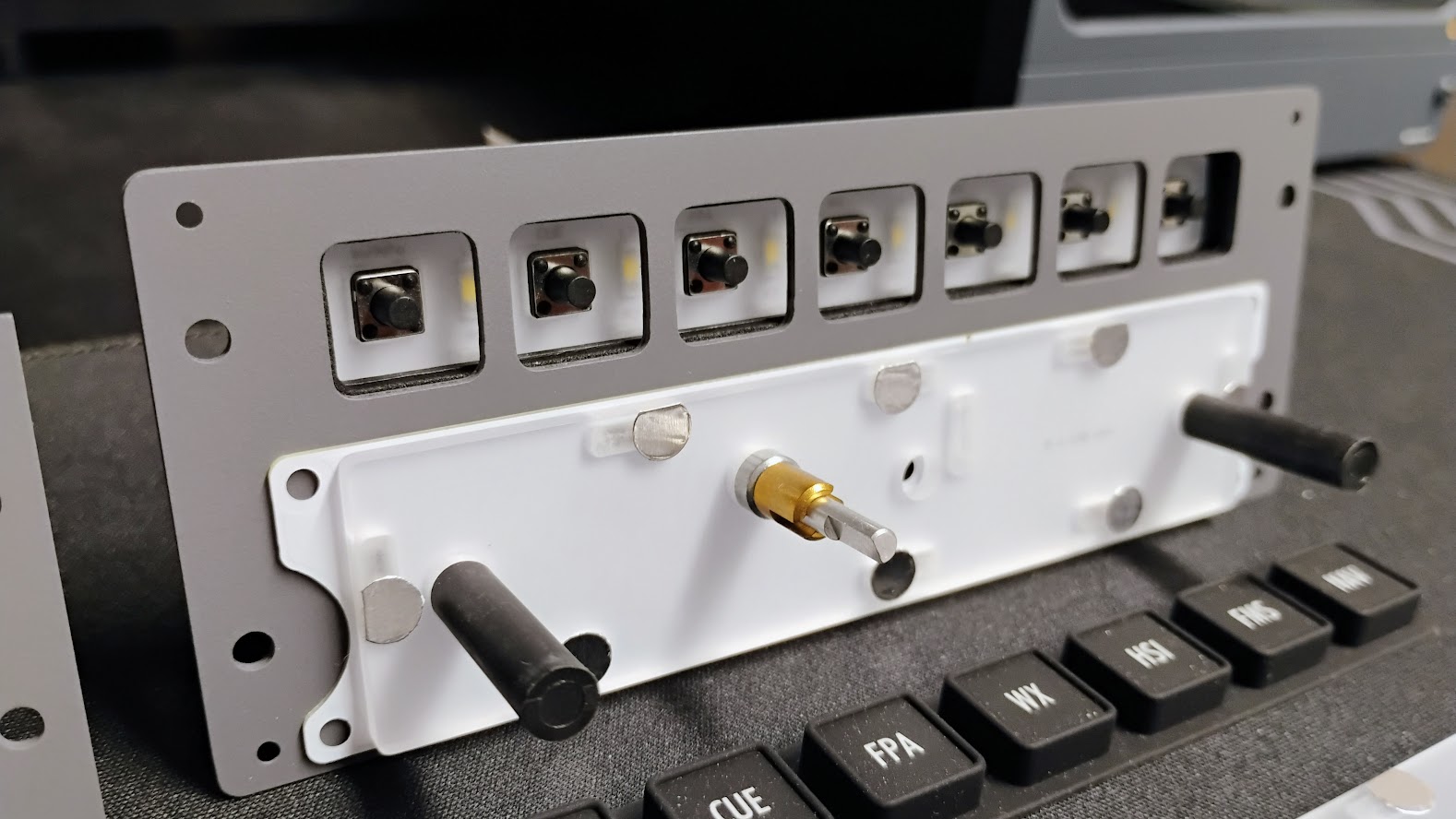
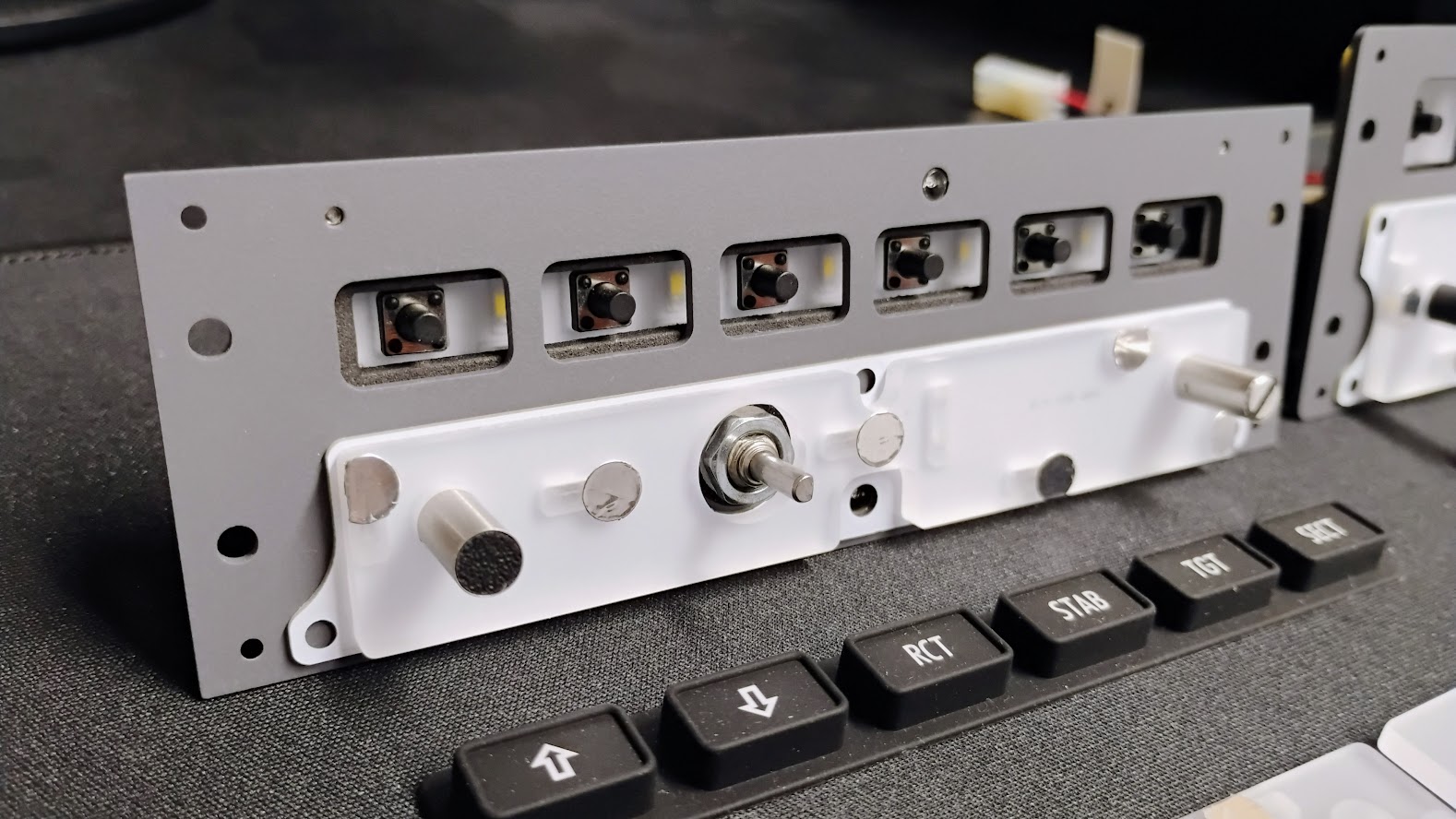
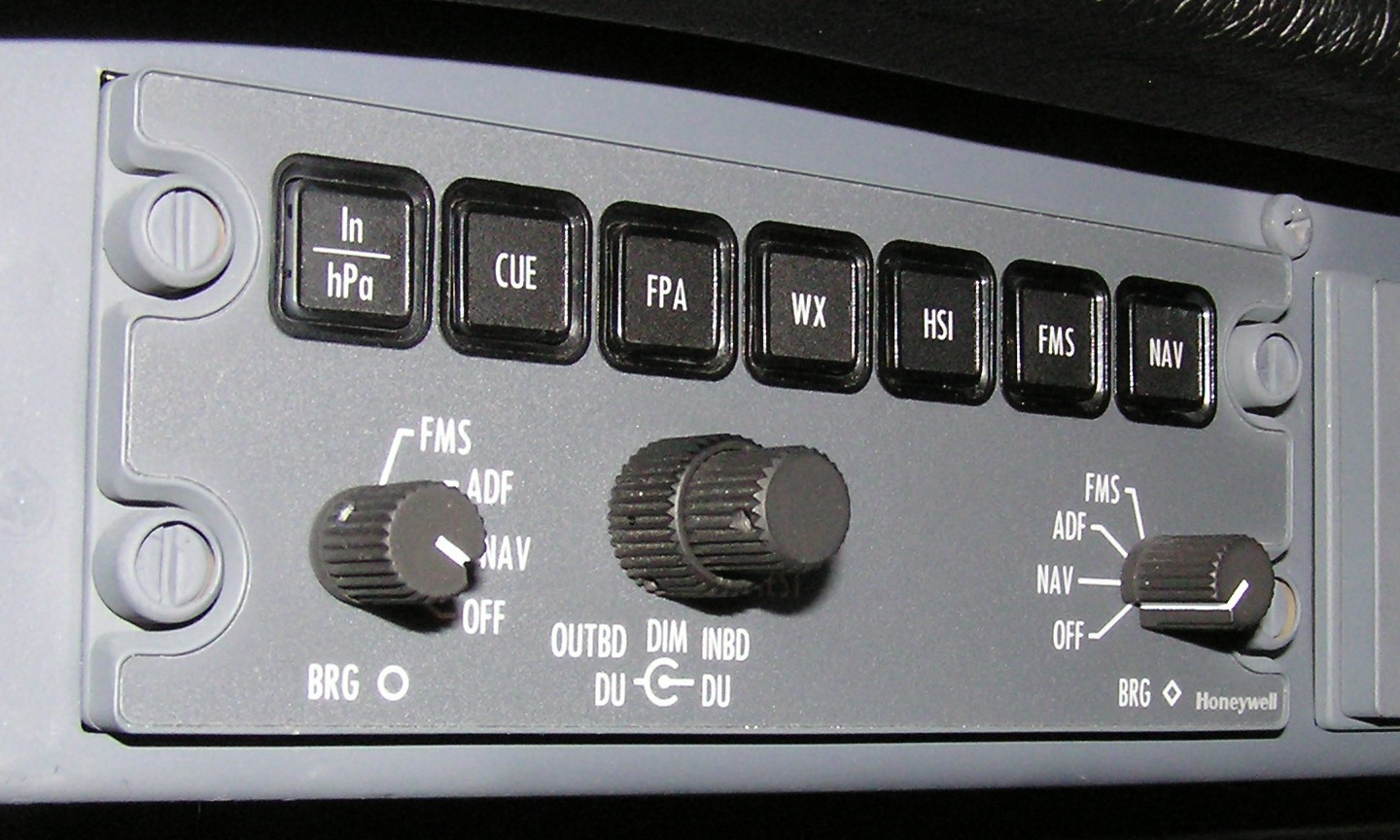
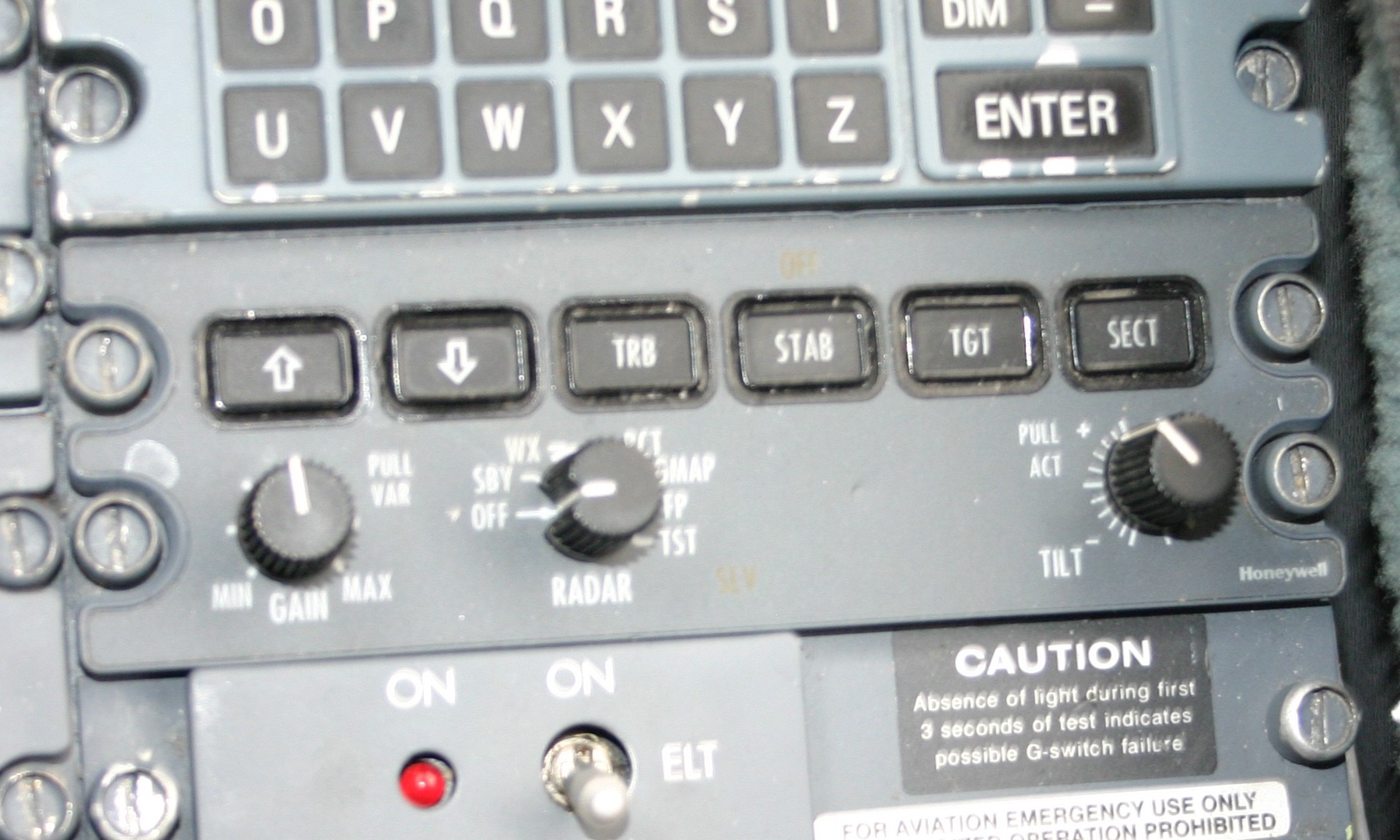
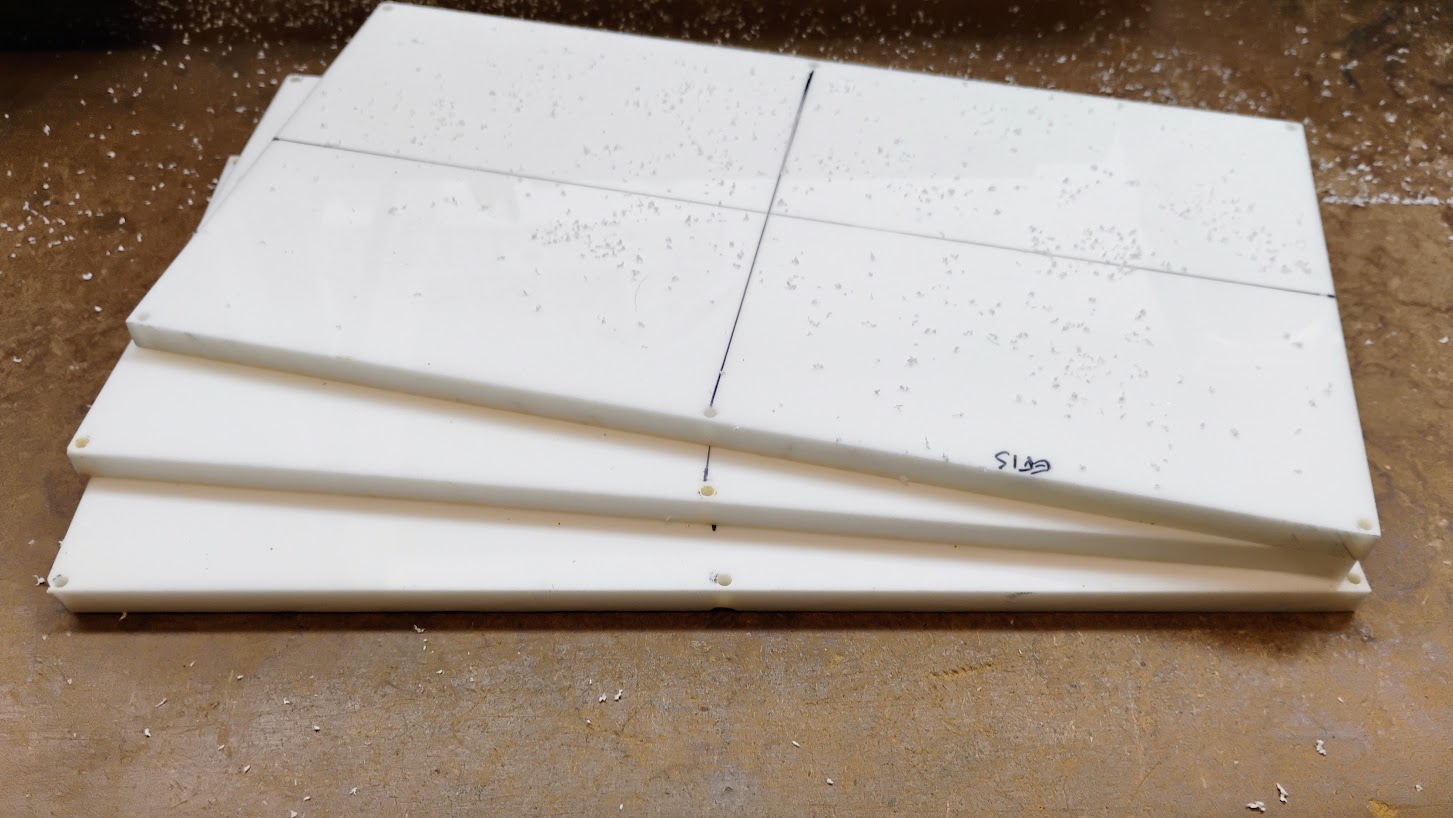
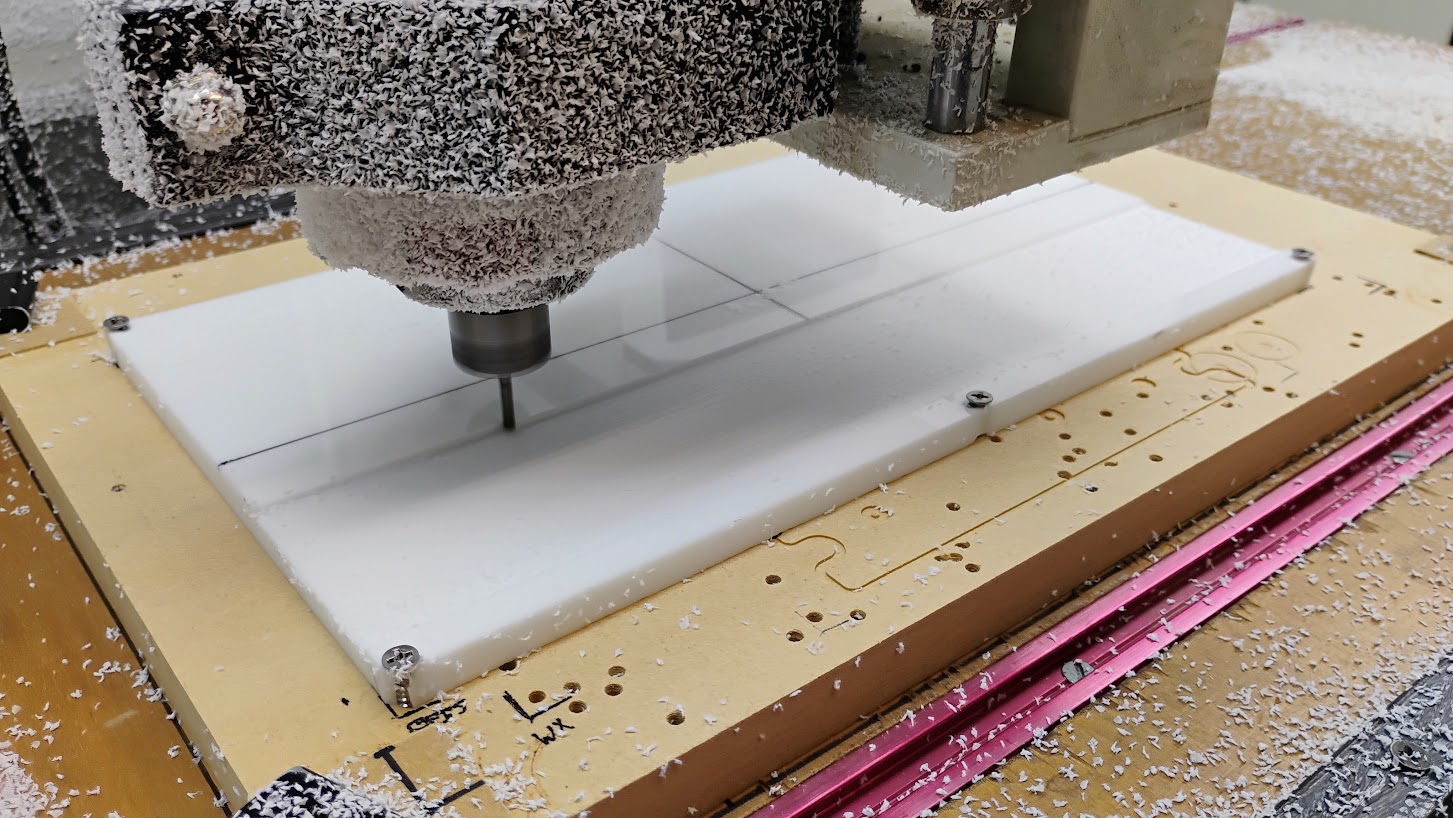
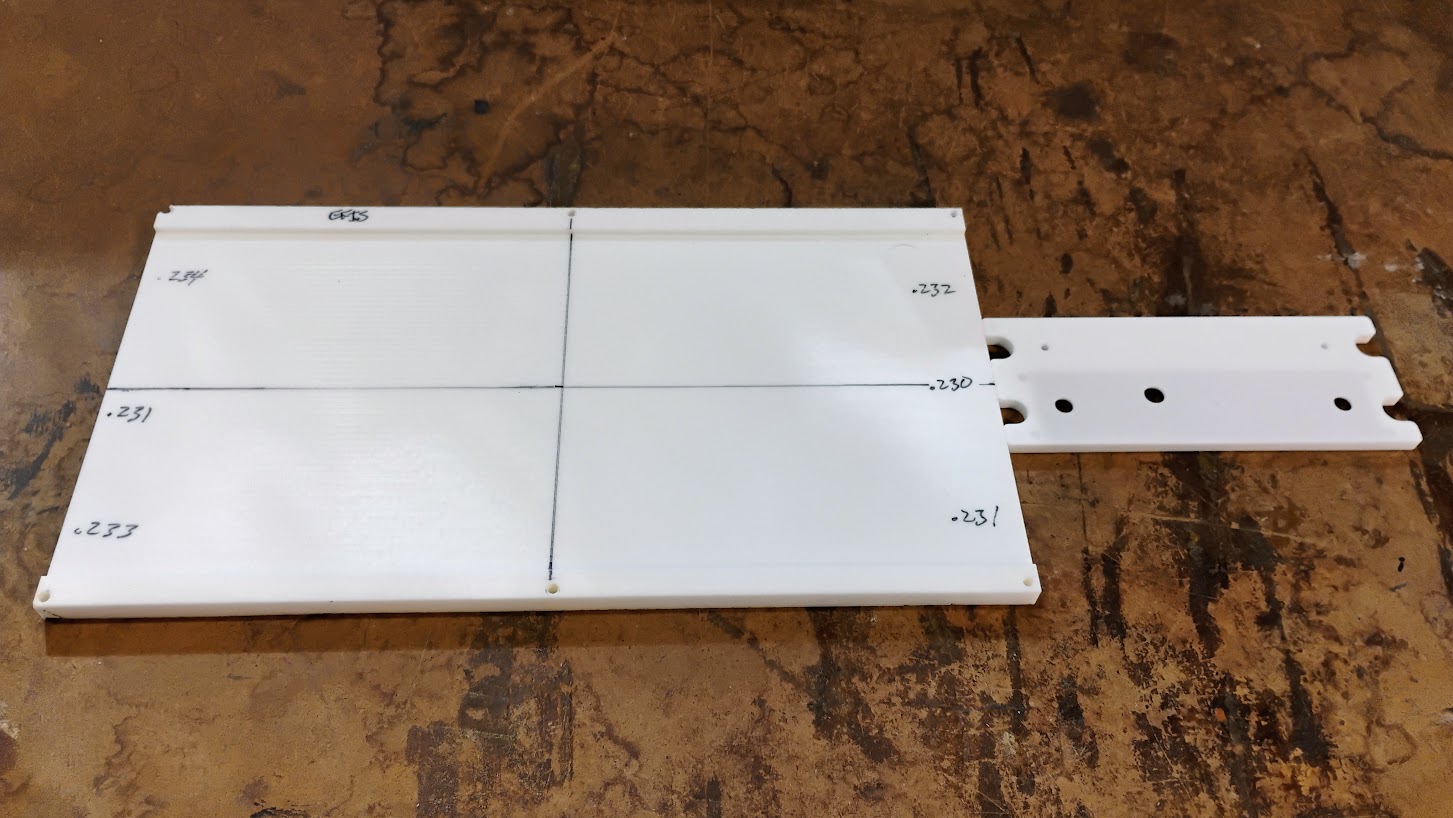
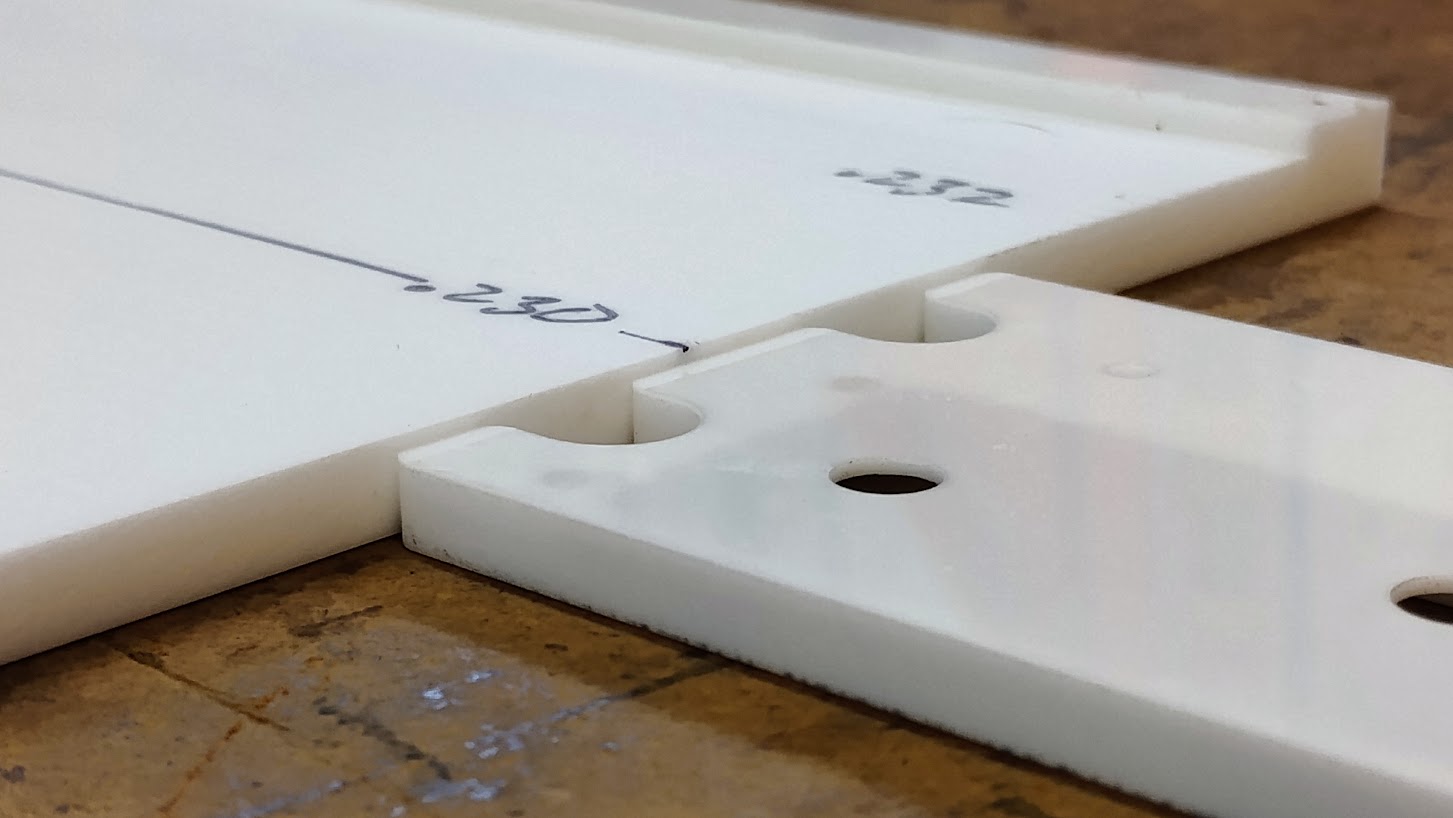
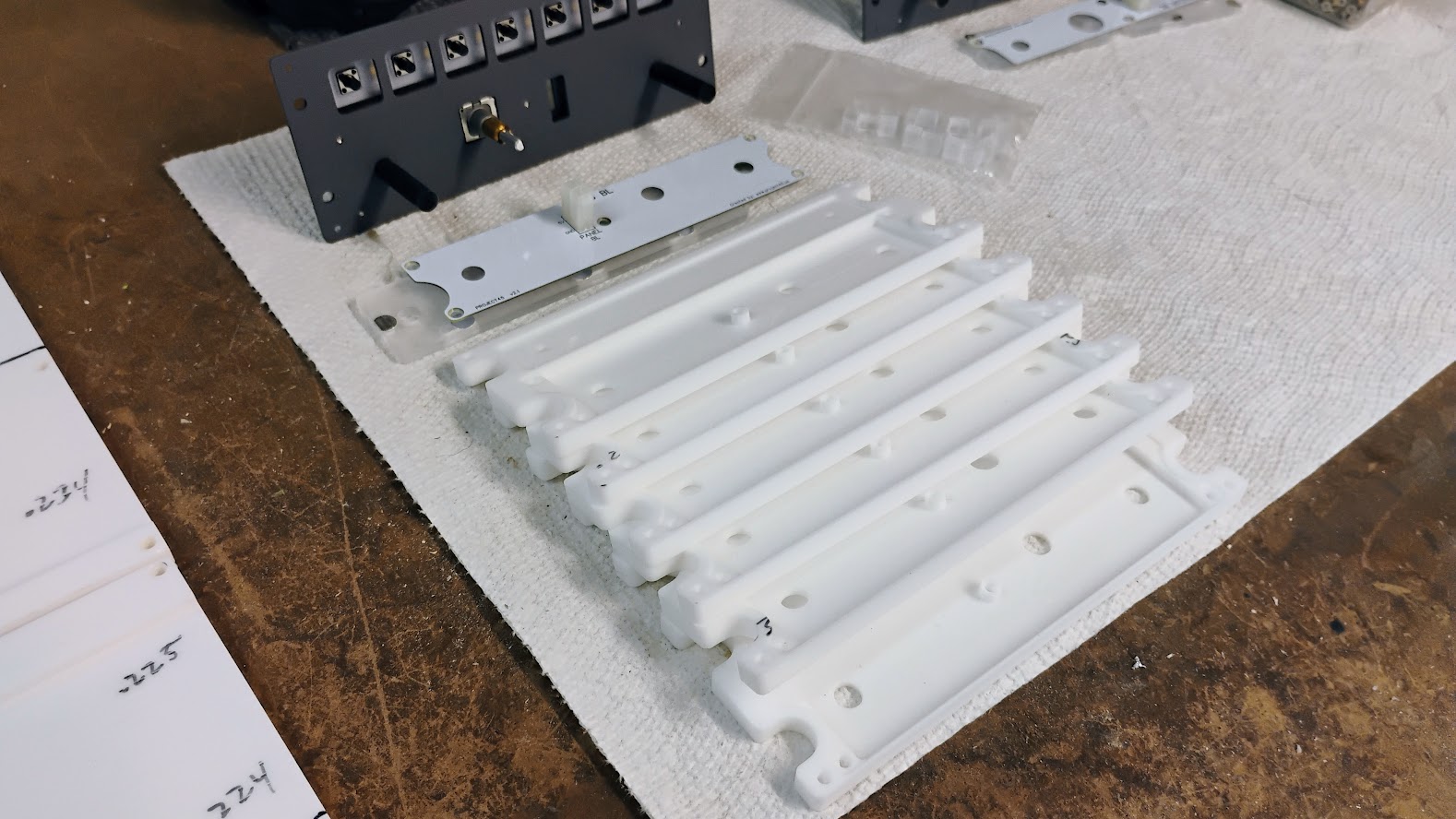
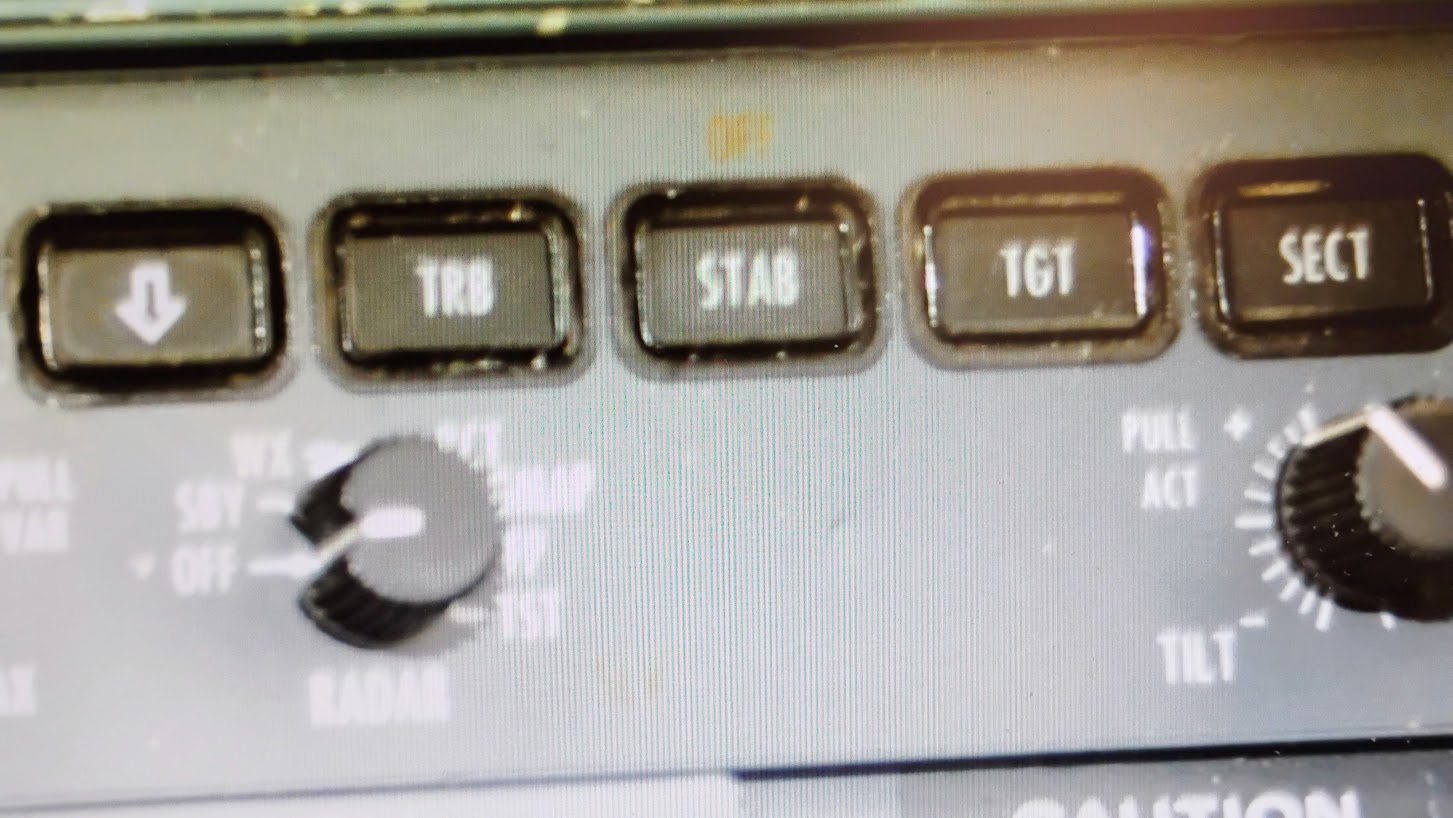
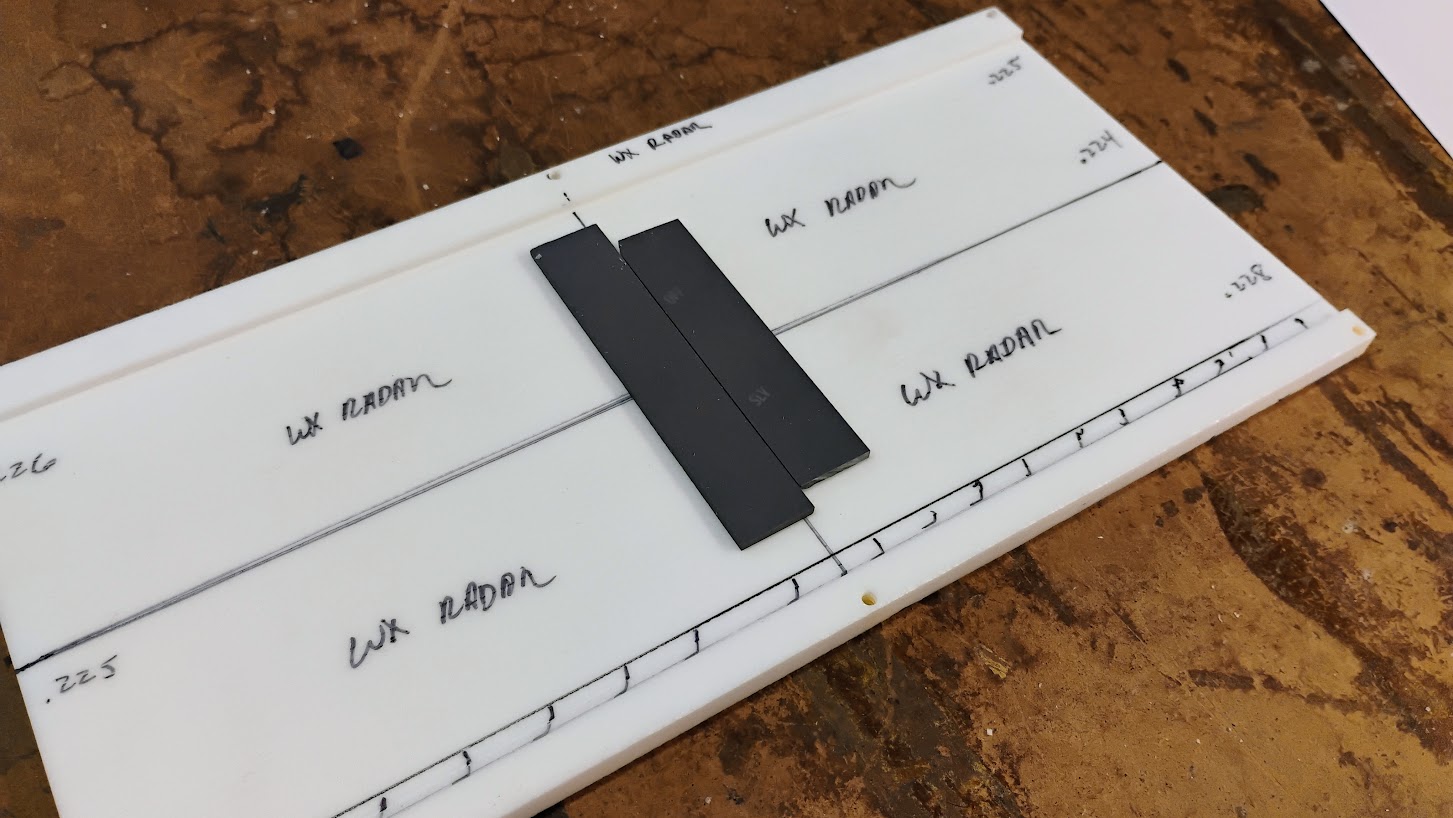
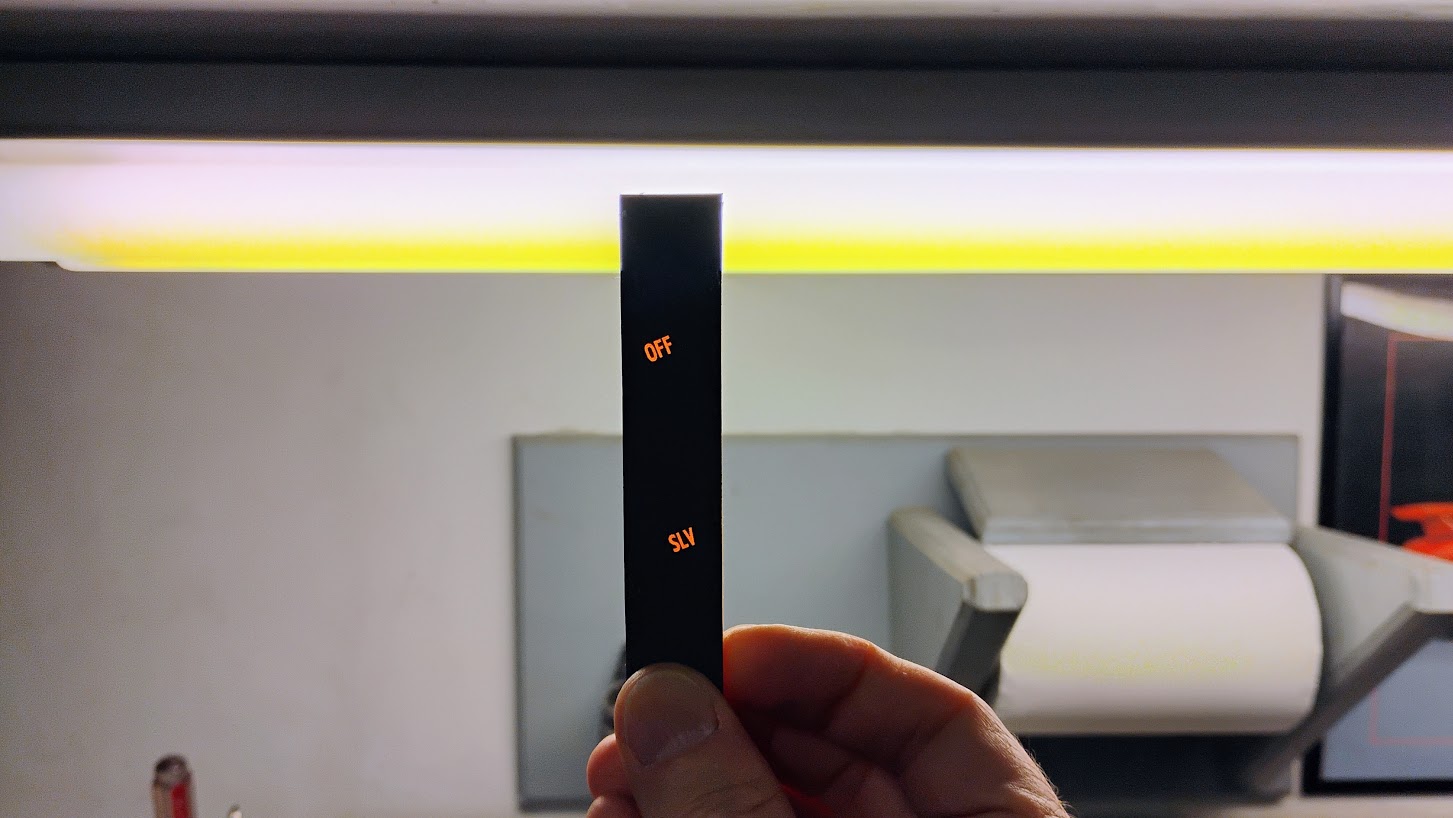
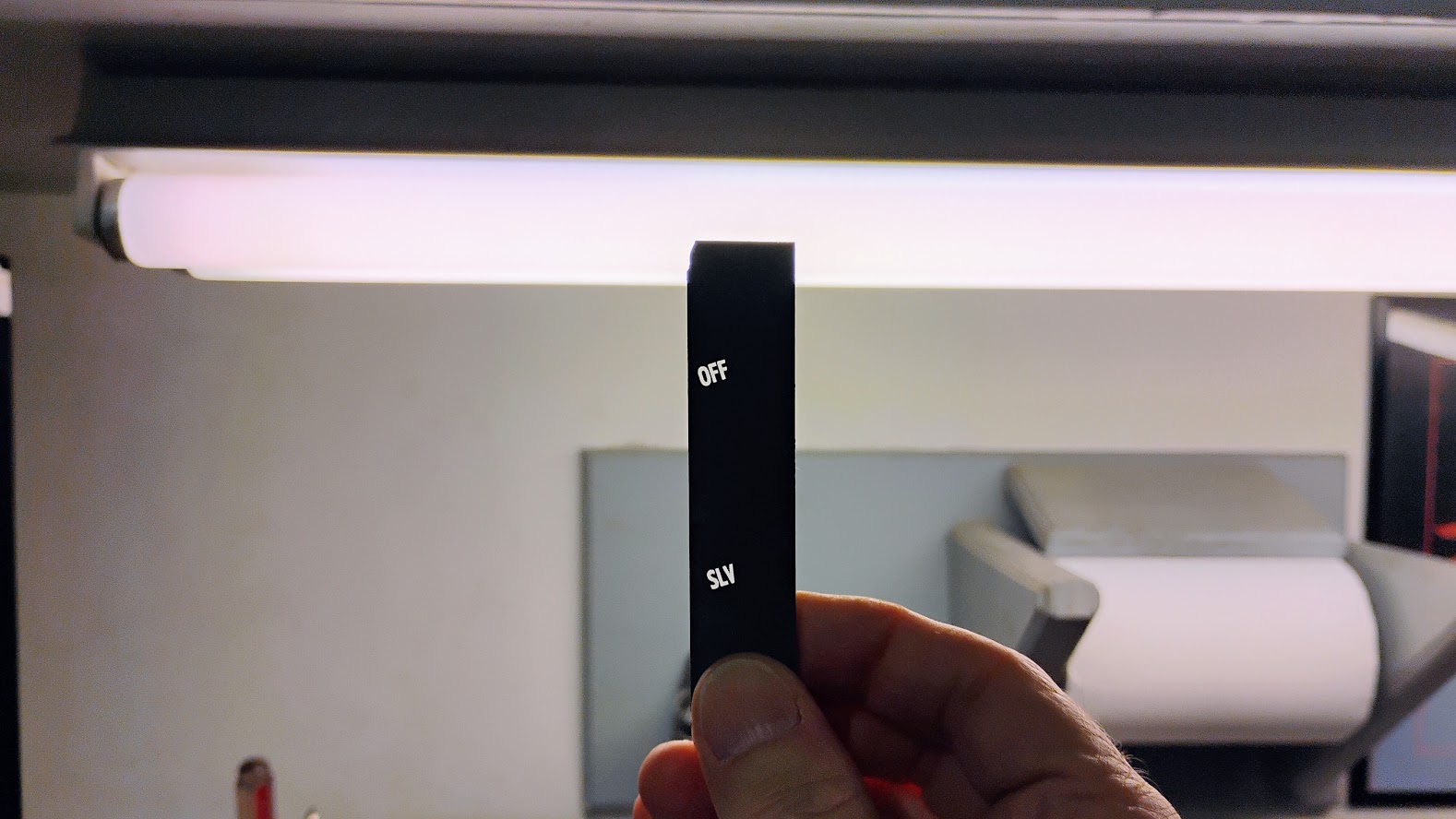
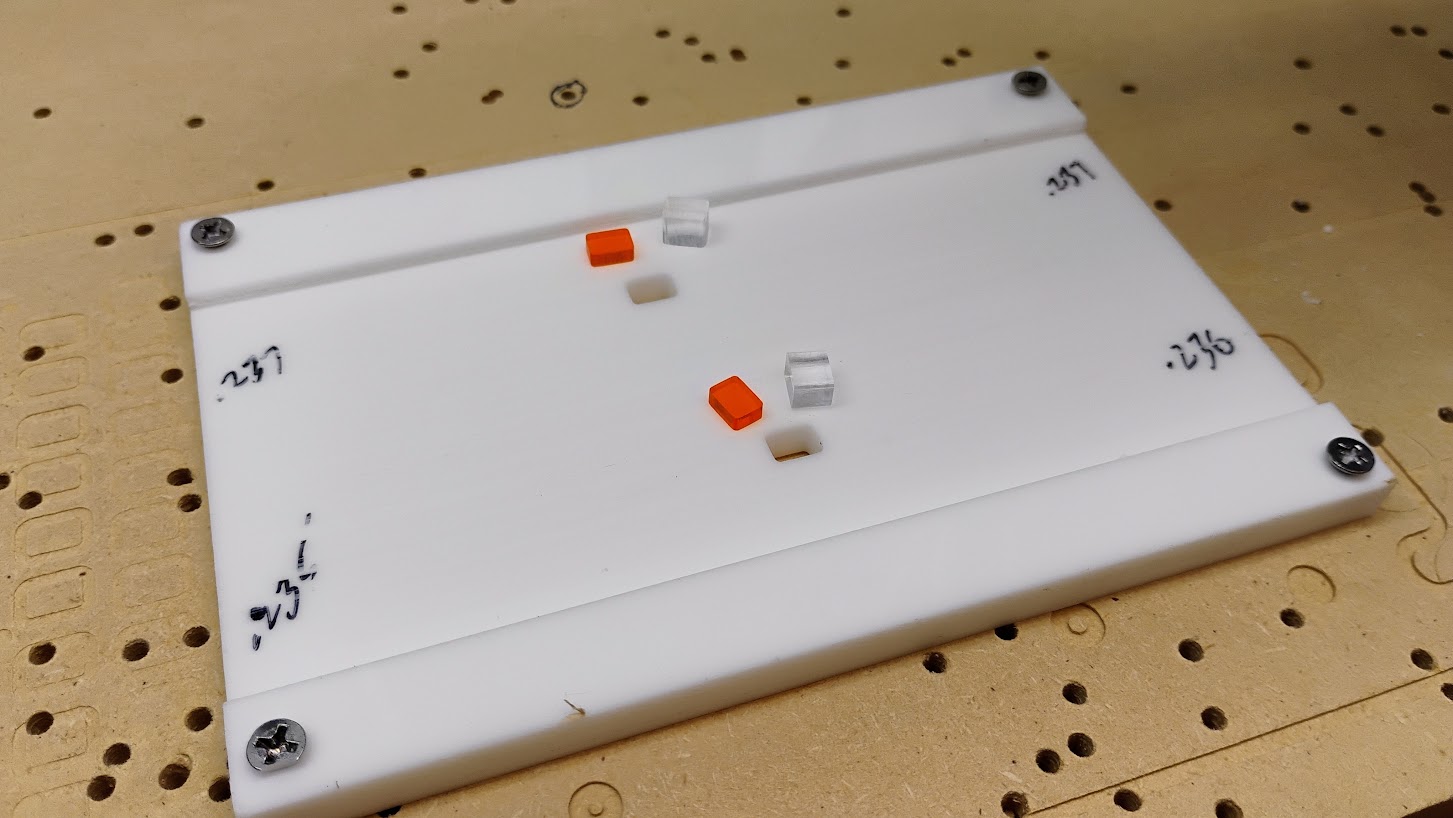
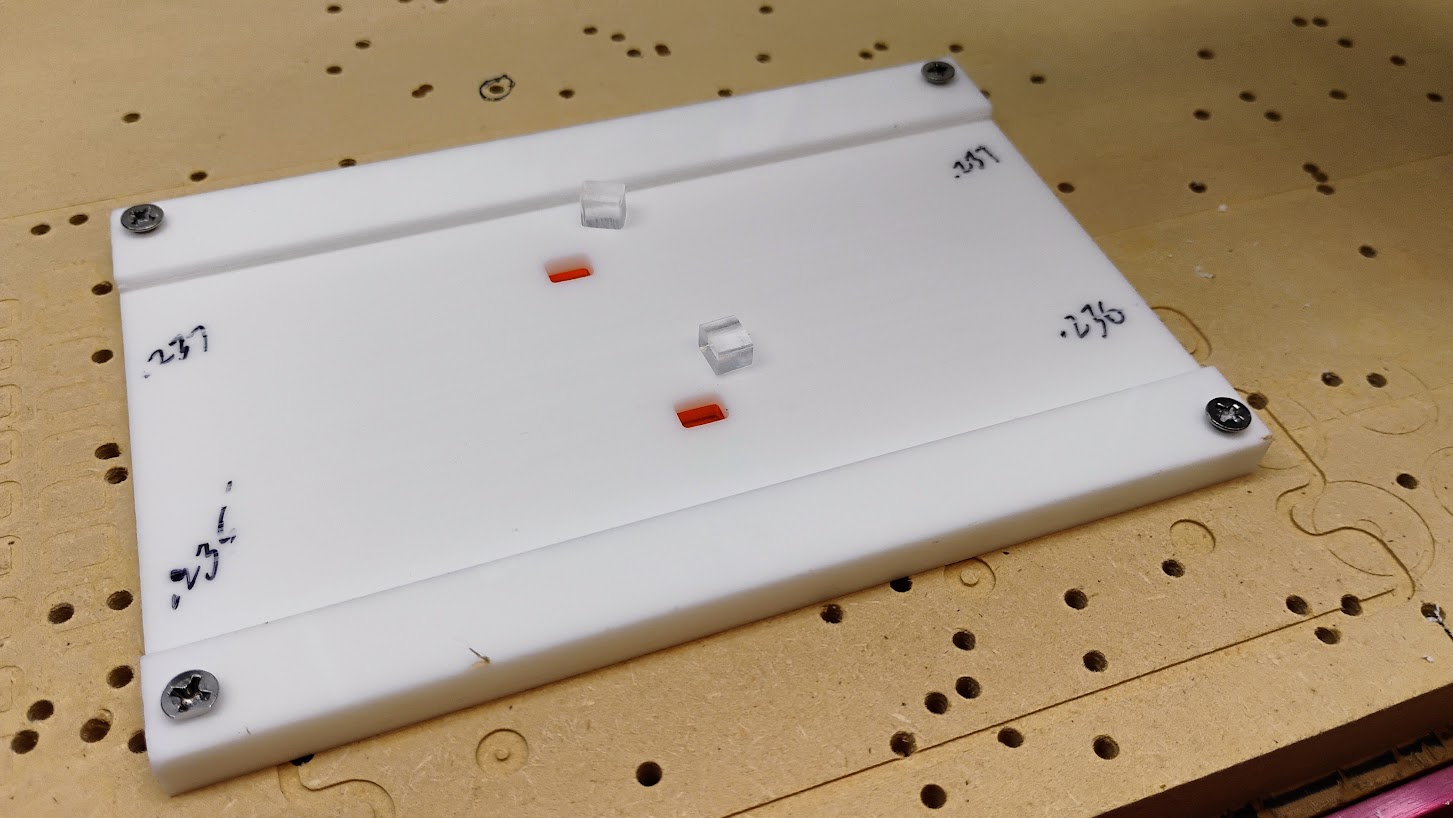
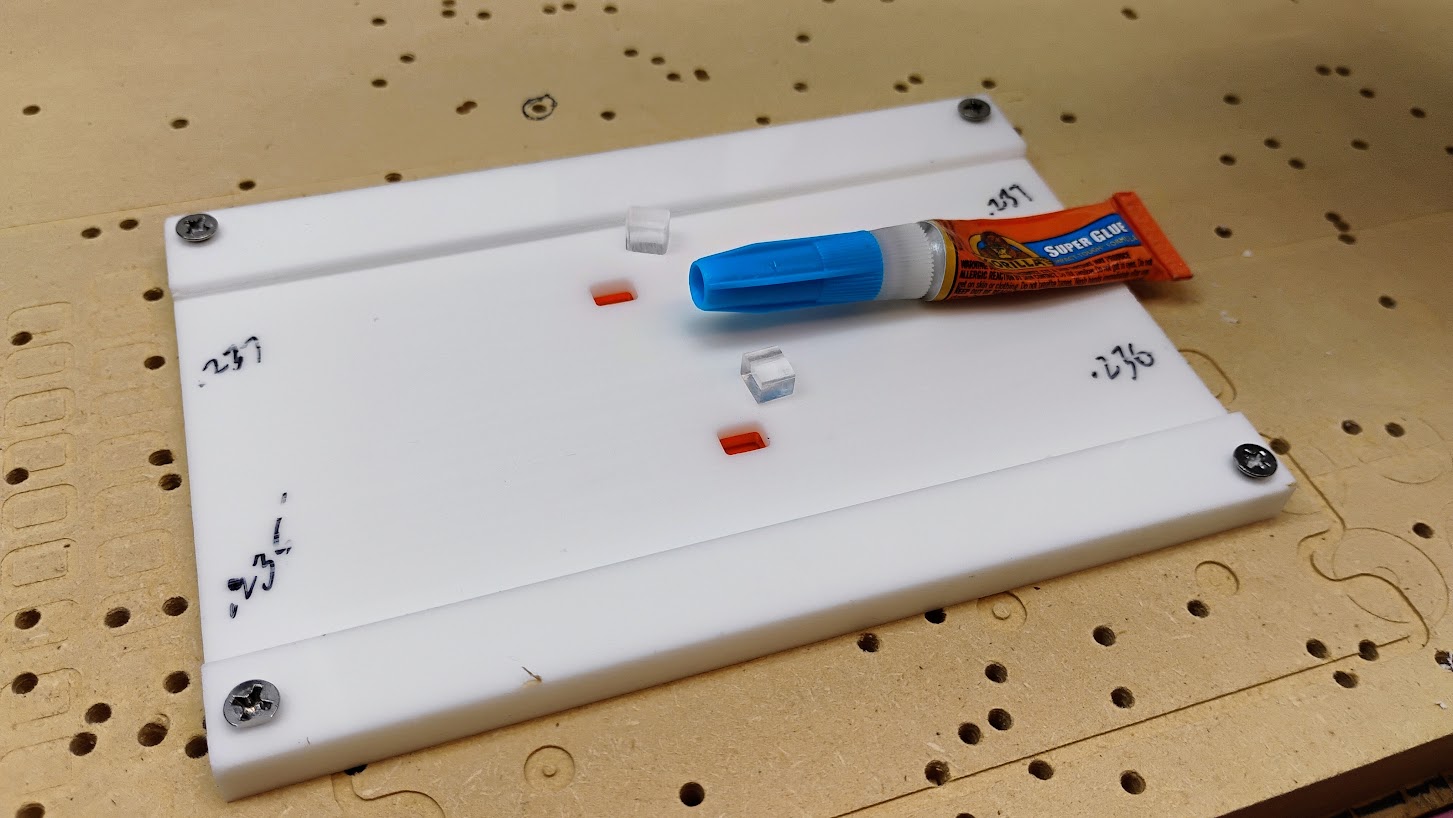
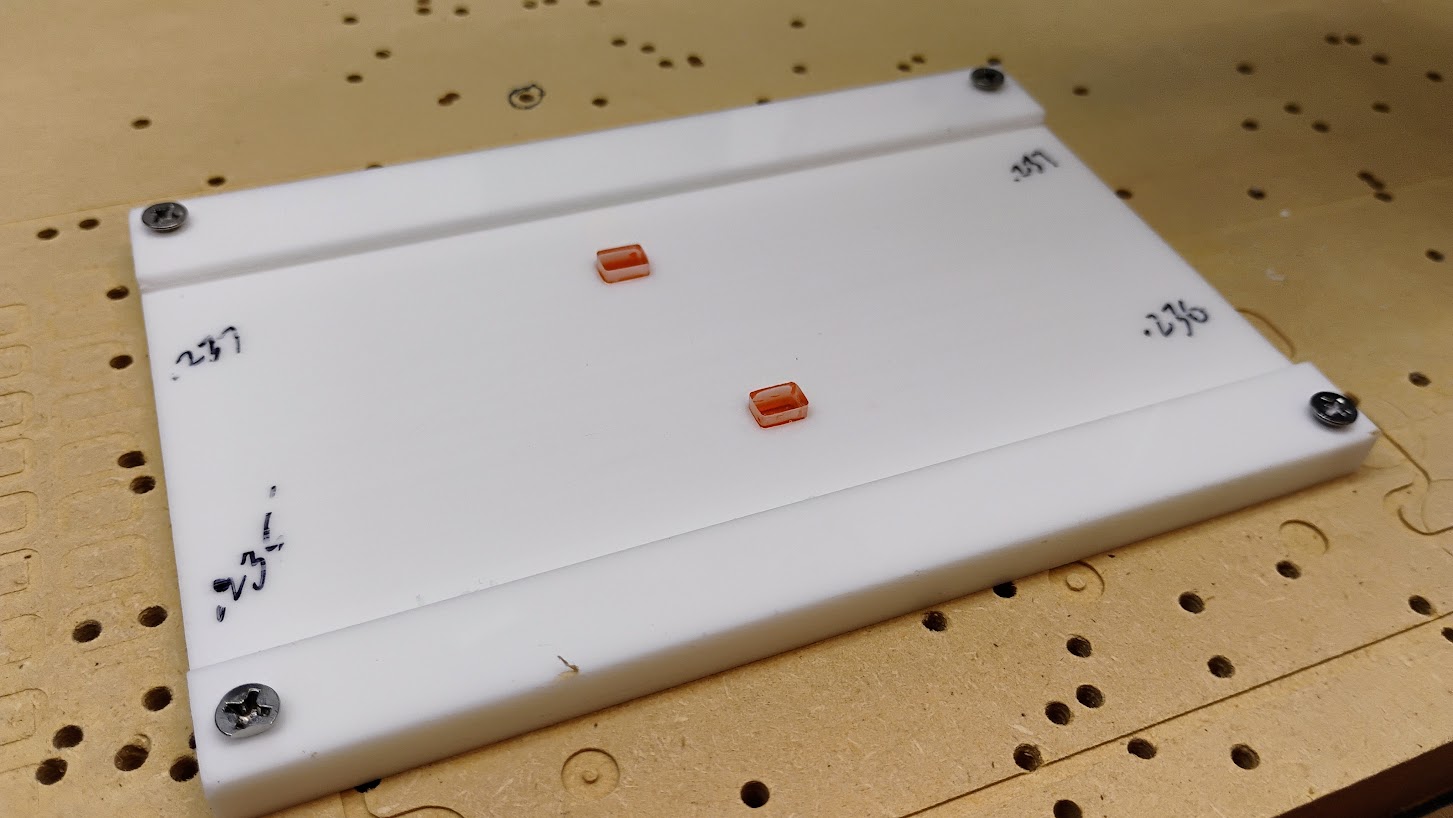
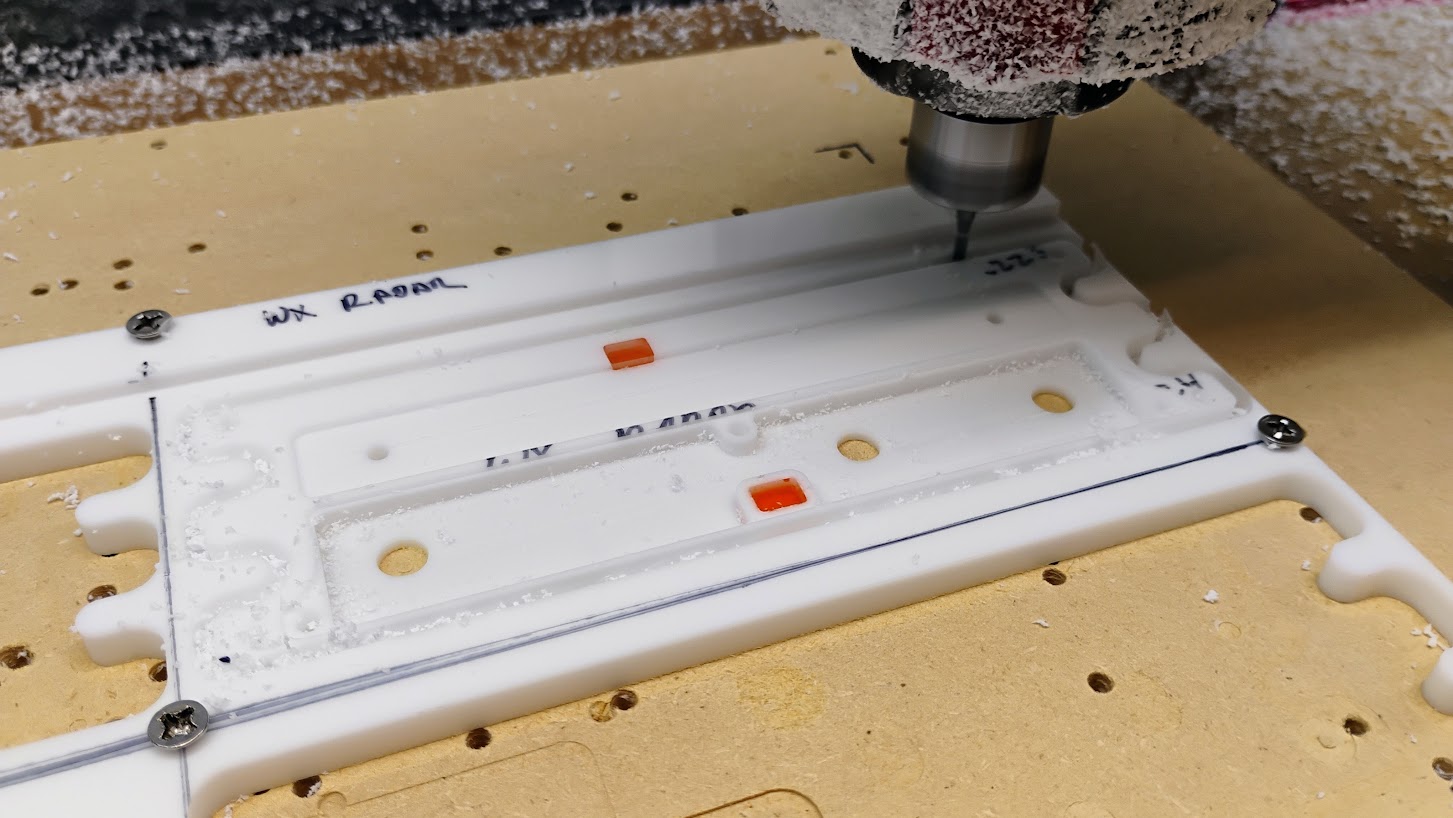
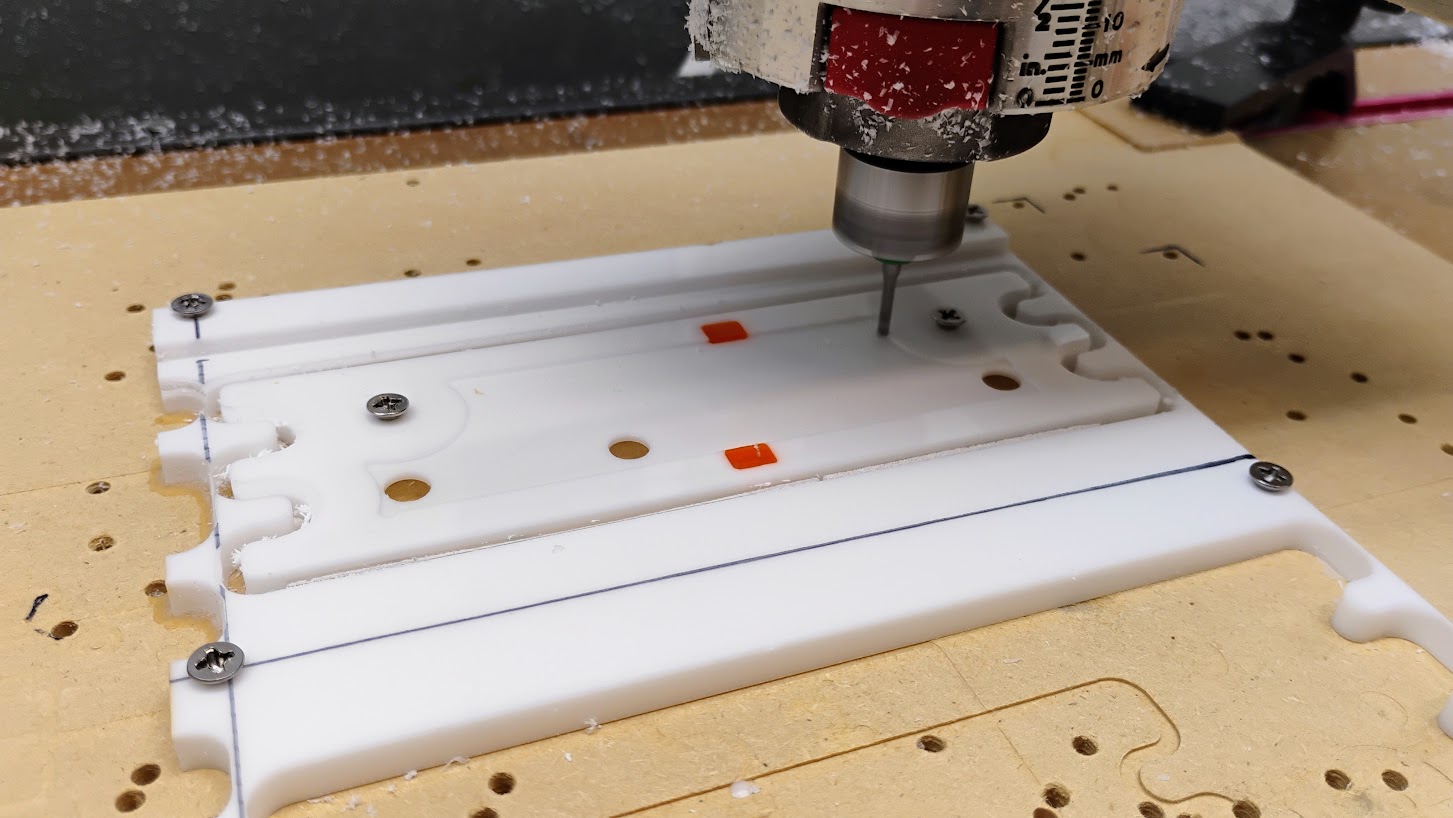
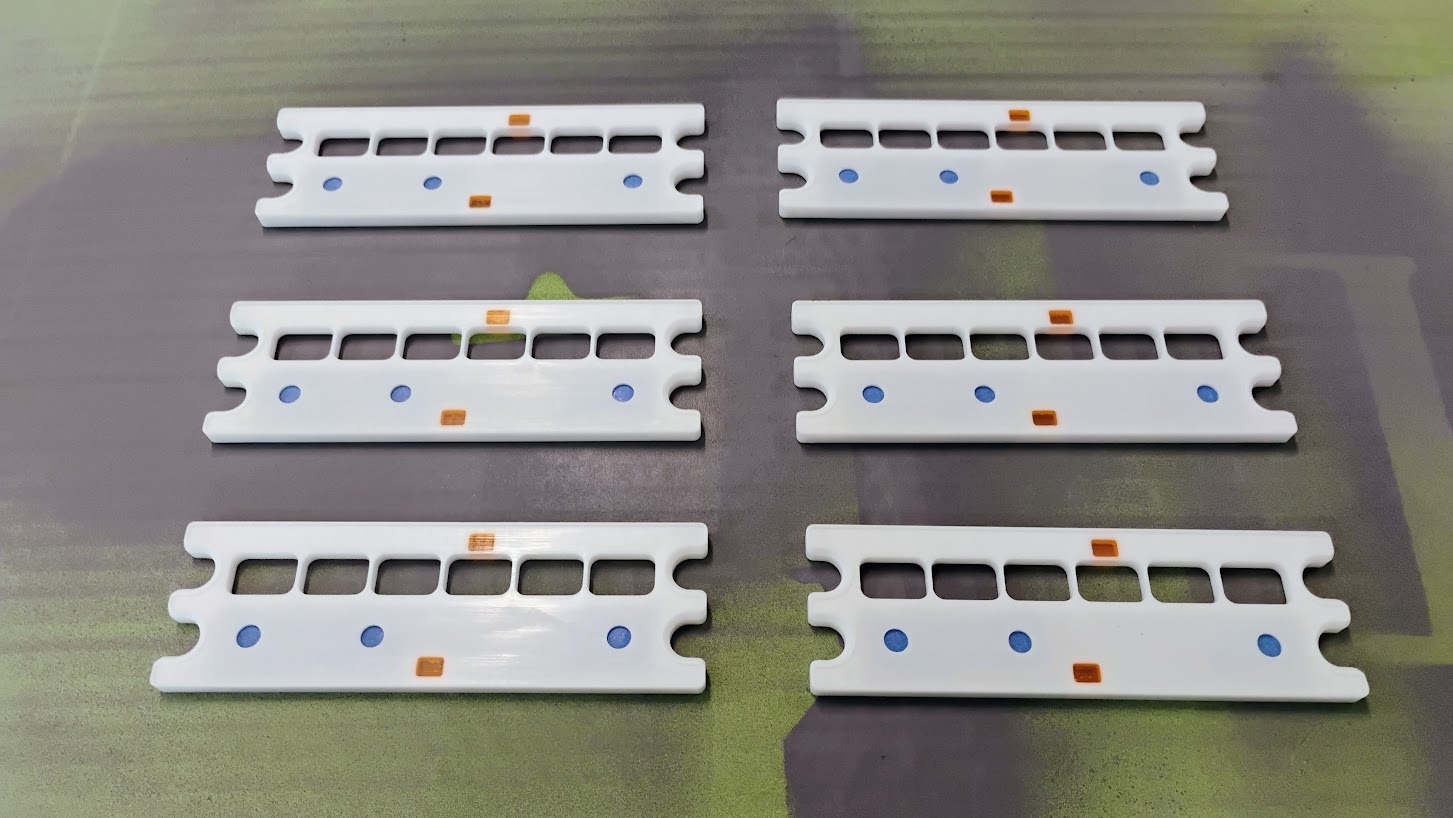
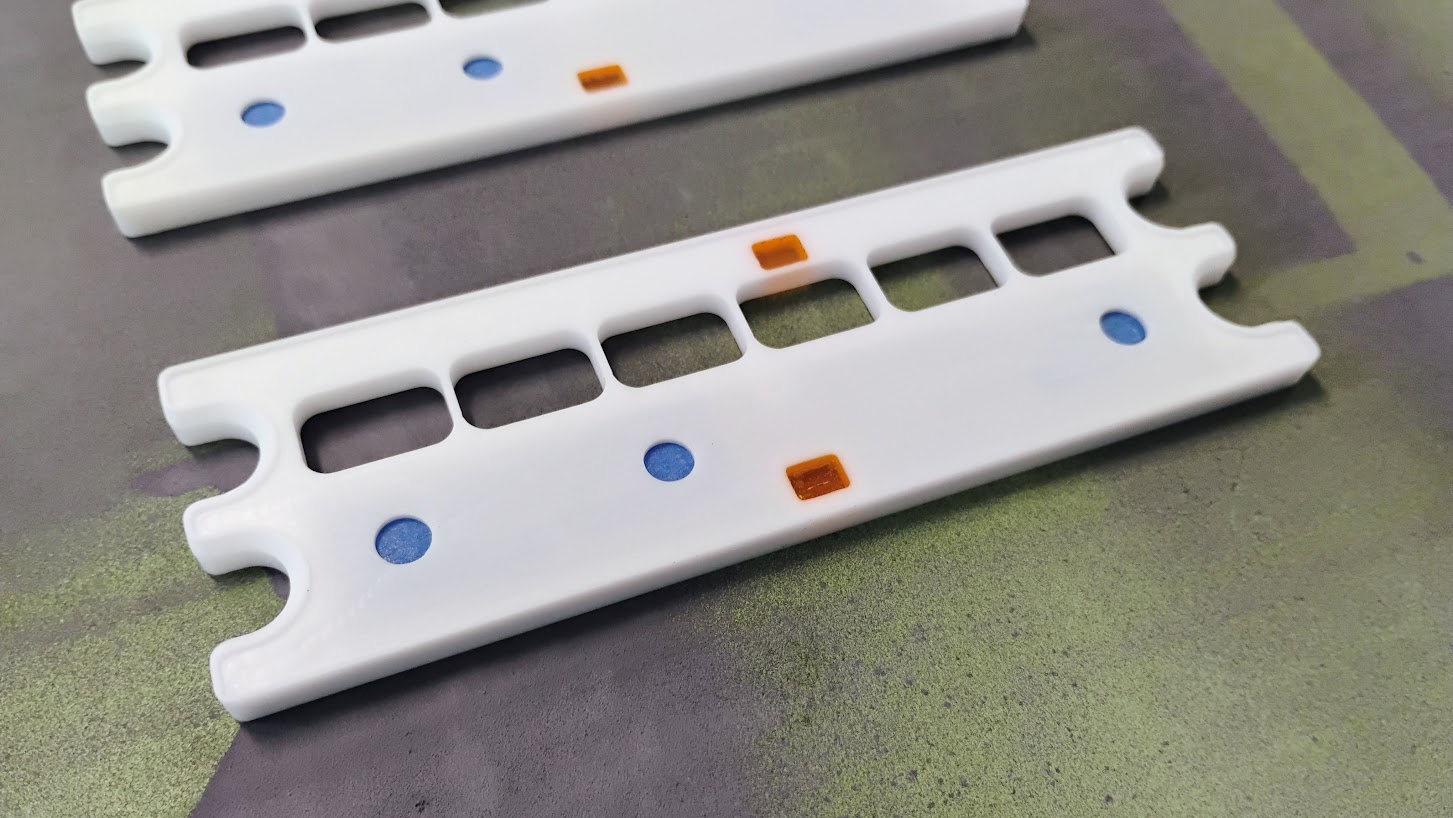
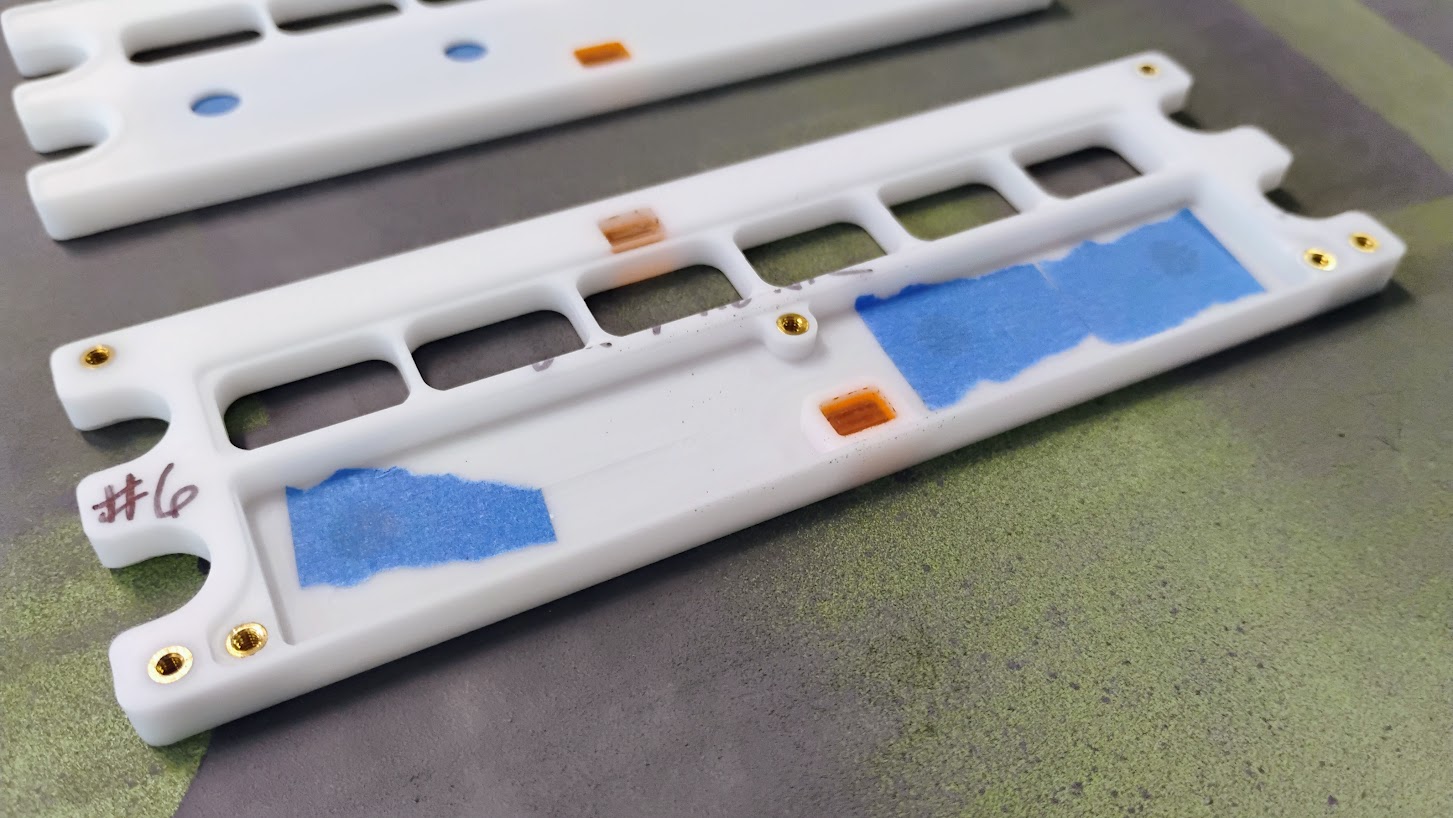
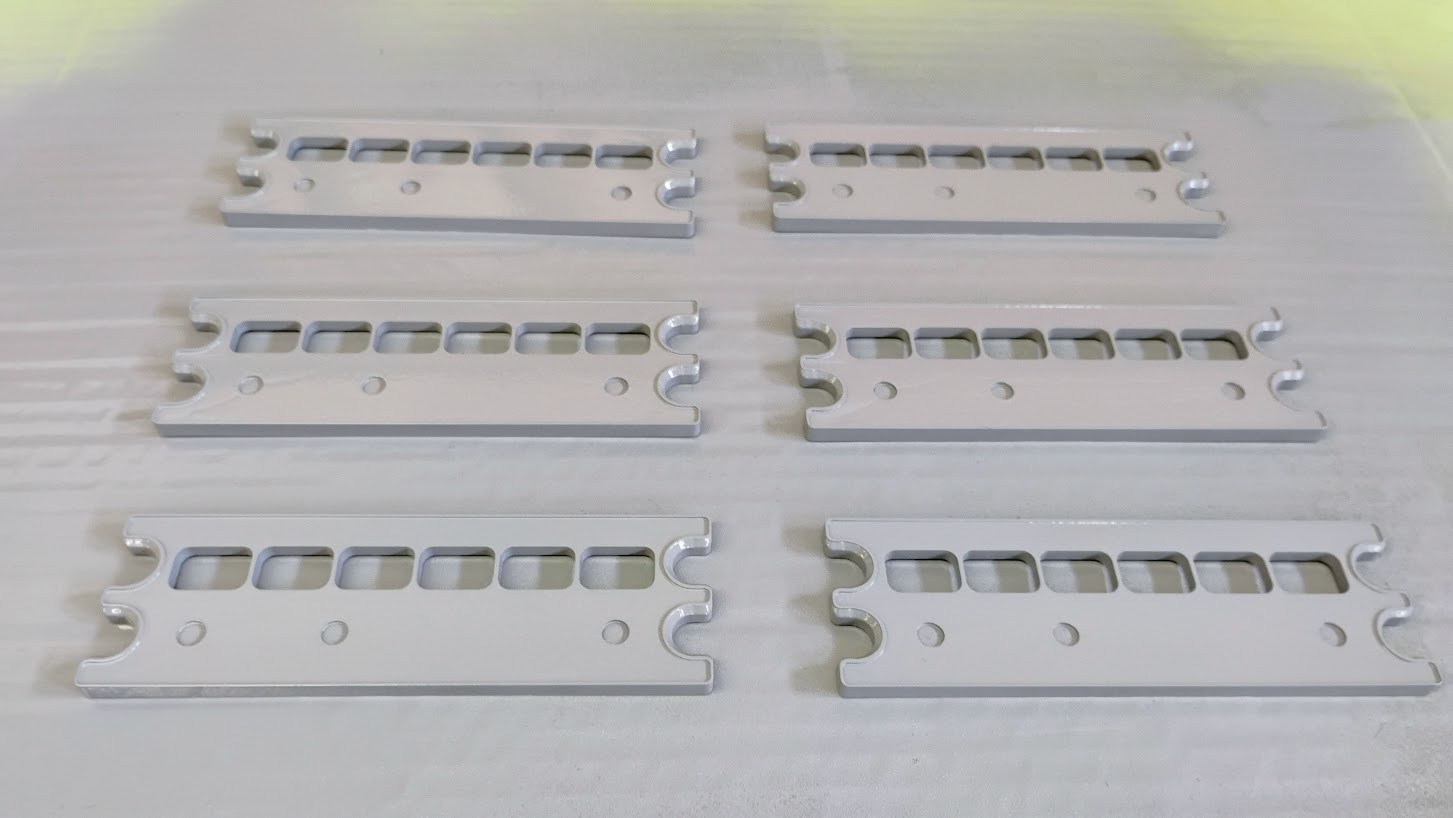
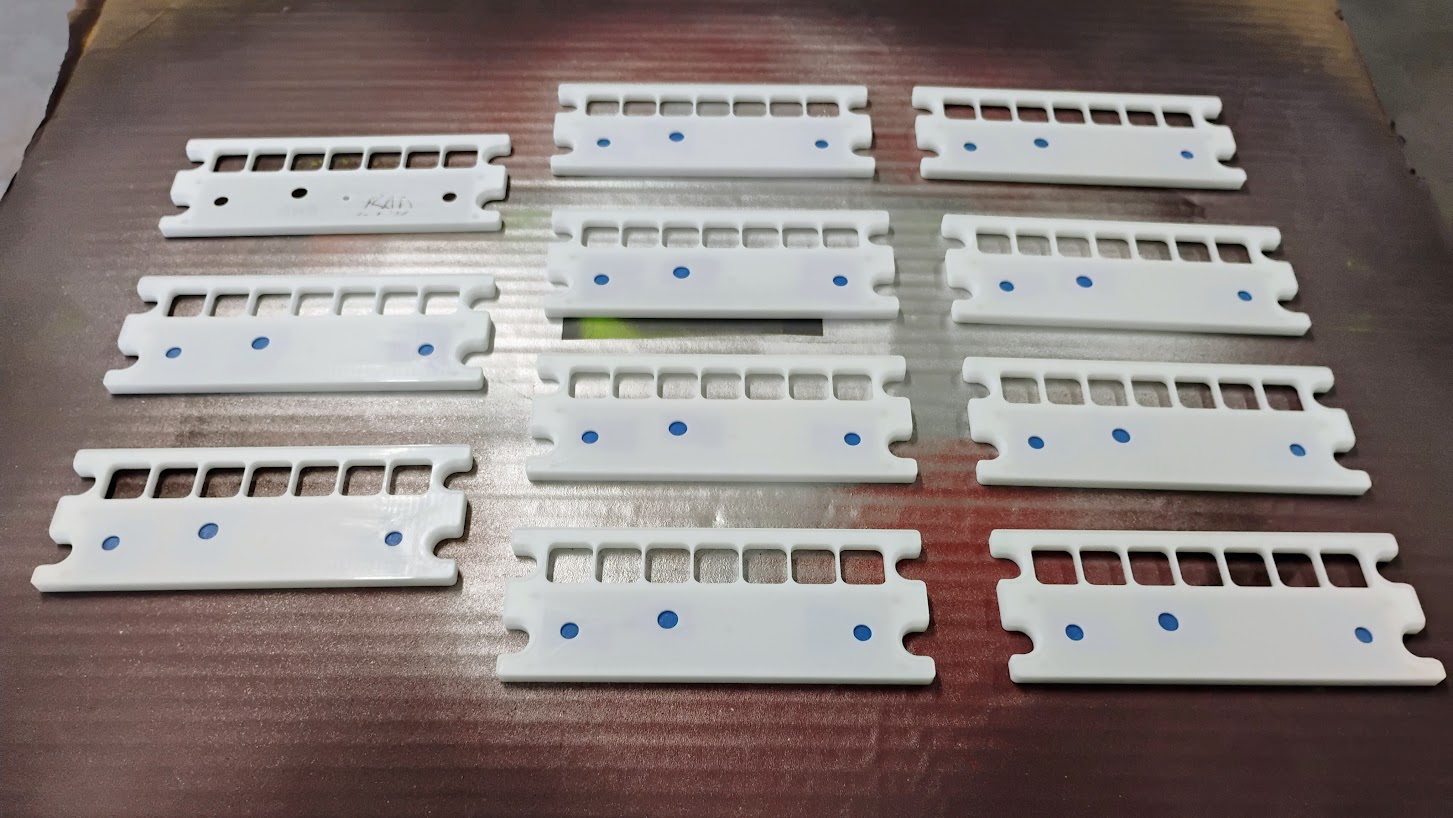
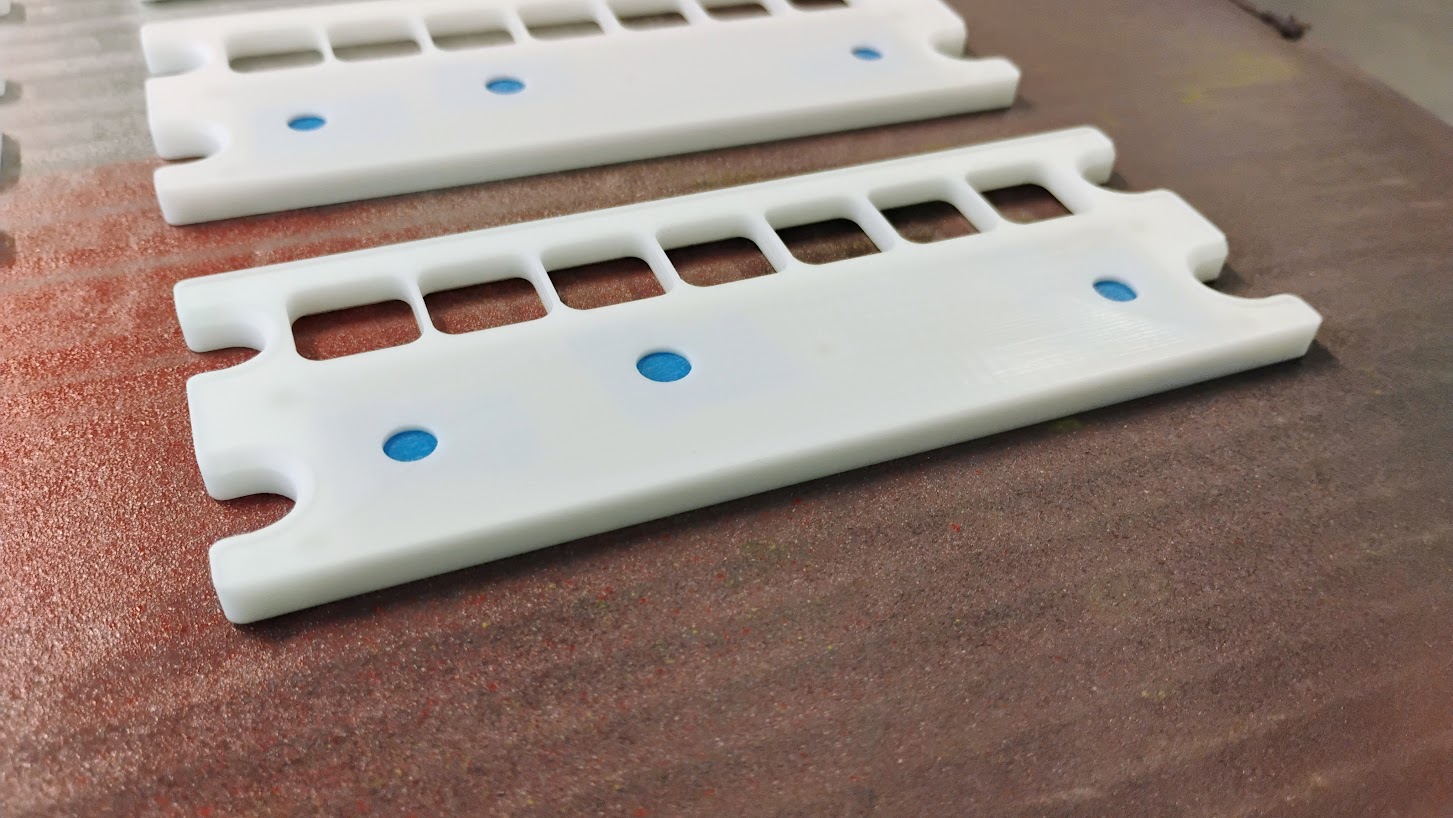
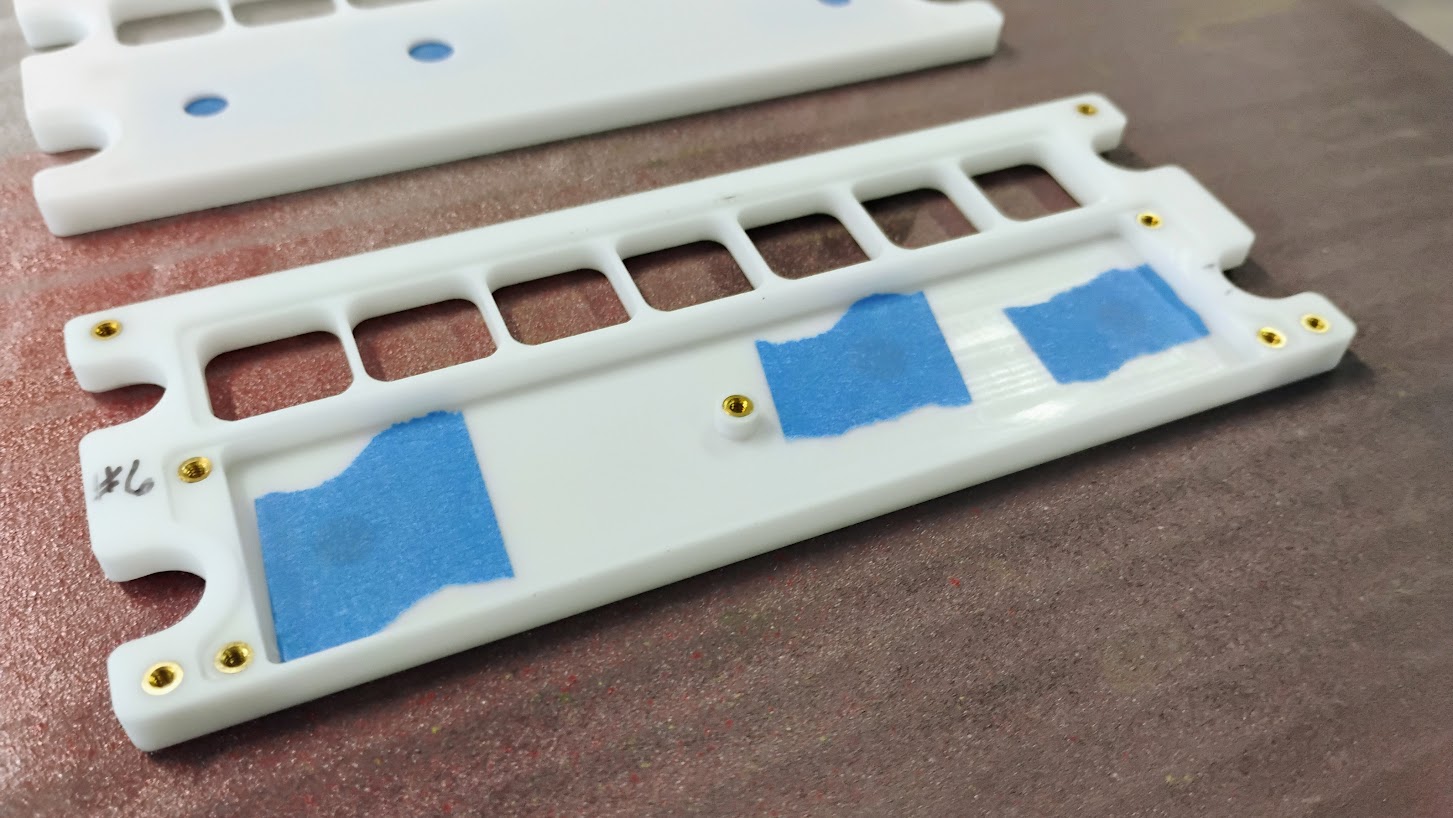
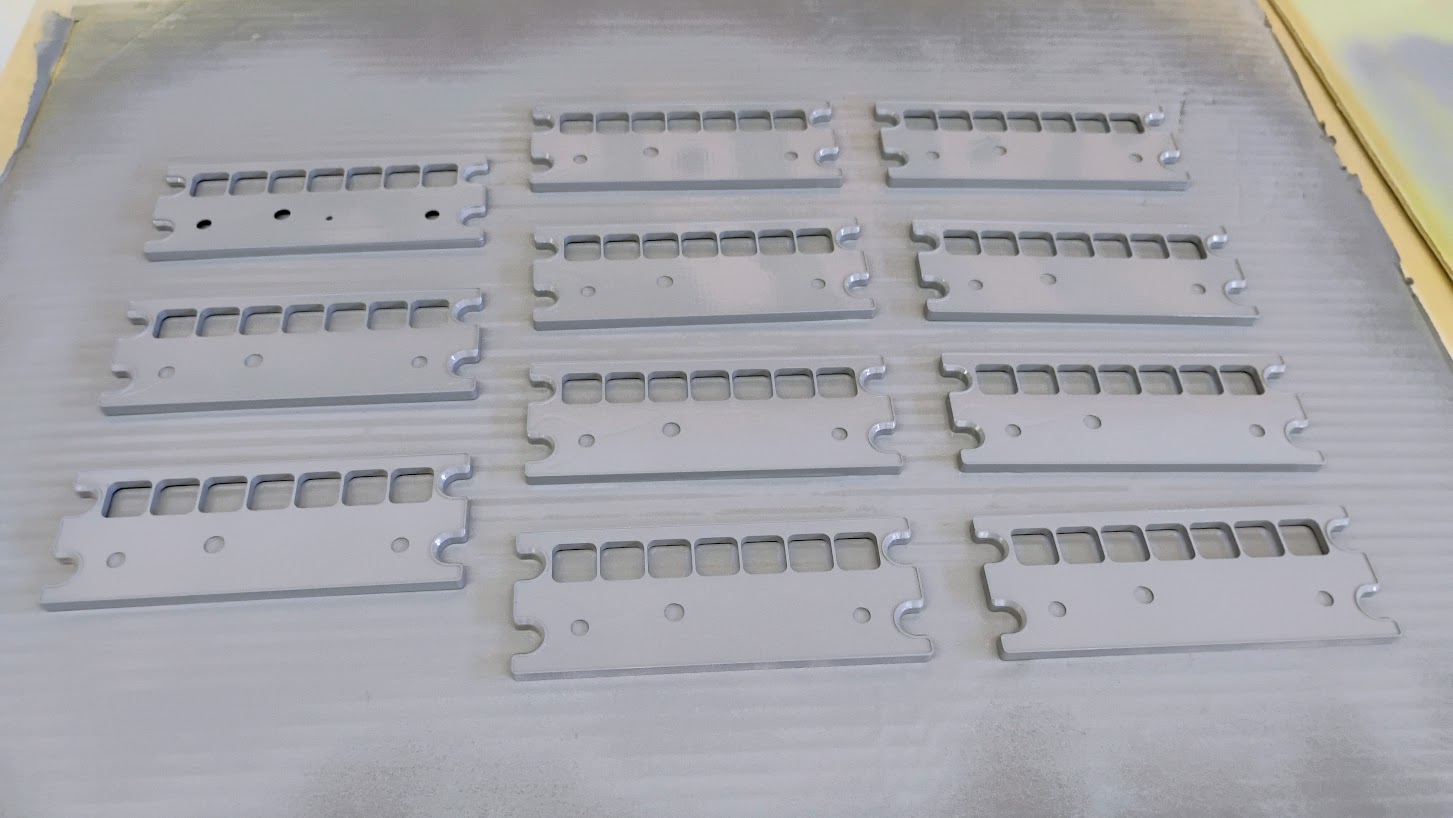
Hey Roel, Glad you were able to get the API for v6. I only have an older version of Active Sky and was hoping maybe Mark had the latest. Either way, you have it now! I am curious what is possible with their weather gauge. I am going to have to do some more reading on this topic. Let us know what you discover. Hey Roel, Glad you were able to get the API for v6. I only have an older version of Active Sky and was hoping maybe Mark had the latest. Either way, you have it now! I am curious what is possible with their weather gauge. I am going to have to do some more reading on this topic. Let us know what you discover. Yeah if anybody needs the documentation let me know, i can send it. Well..embedding weather information in the MFD is really something for developers like Jason. Yeah if anybody needs the documentation let me know, i can send it. Well..embedding weather information in the MFD is really something for developers like Jason. Hey guys, I have been working hard on the EFIS panels and WX Radar panels! To date, the drawings are now 100% complete, the PCBs have been received and they are all soldered up. I have also received the Silicone Keypads for the EFIS and WX Radar panels. The quality of these keypads are second to none and are going to be an incredible time saver while building these panels up. I always have to give thanks to Will Sasse for giving me a hand with converting my 2D drawings to 3D elements. Thanks Will! Now that I have in hand the PCB and keypads, the rest is all up to me and the CNC machine. Another update soon! Hey guys, I have been working hard on the EFIS panels and WX Radar panels! To date, the drawings are now 100% complete, the PCBs have been received and they are all soldered up. I have also received the Silicone Keypads for the EFIS and WX Radar panels. The quality of these keypads are second to none and are going to be an incredible time saver while building these panels up. I always have to give thanks to Will Sasse for giving me a hand with converting my 2D drawings to 3D elements. Thanks Will! Now that I have in hand the PCB and keypads, the rest is all up to me and the CNC machine. Another update soon! Hey guys, I know it's been a good while since I've updated this thread with any news due to being super busy with assembling and wiring my sim which took the better part of six months. I am sure you have seen some of my other threads including my Project Update thread HERE This is what my sim looks like today. Notice the EFIS panels are not yet complete? Last week I was able to get about half of the Jet45 AAS modules operational including the modules that control the EFIS panels. Needless to say, the EFIS panels have finally made it to the top of my immediate "To do List". At the very least, I needed to complete the backer panels to the EFIS panels to secure them properly to the Glareshield. I am working on a batch of ten units, (or five sets). Eight EFIS units pictured here: So far everything is coming together great! Recall that I had Silicone Keypads made for the EFIS panels and many other panels in the sim. Additionally, these EFIS panels are updated with professionally made PCB. Next week I will be working to progress the WX Radar backer panels so that I have both the EFIS and the WX Radar panels at about the same point in the production process. Once the WX Radar backers are complete, I will consider all these panels more than 50% complete. Another update shortly! Hey guys, I know it's been a good while since I've updated this thread with any news due to being super busy with assembling and wiring my sim which took the better part of six months. I am sure you have seen some of my other threads including my Project Update thread HERE This is what my sim looks like today. Notice the EFIS panels are not yet complete? Last week I was able to get about half of the Jet45 AAS modules operational including the modules that control the EFIS panels. Needless to say, the EFIS panels have finally made it to the top of my immediate "To do List". At the very least, I needed to complete the backer panels to the EFIS panels to secure them properly to the Glareshield. I am working on a batch of ten units, (or five sets). Eight EFIS units pictured here: So far everything is coming together great! Recall that I had Silicone Keypads made for the EFIS panels and many other panels in the sim. Additionally, these EFIS panels are updated with professionally made PCB. Next week I will be working to progress the WX Radar backer panels so that I have both the EFIS and the WX Radar panels at about the same point in the production process. Once the WX Radar backers are complete, I will consider all these panels more than 50% complete. Another update shortly! Happy New Year guys, I have just recently completed the backers for six WX Radar panels which include the PCB and the hardware. The photo below shows all the panels I am making for you guys, minus the ones for myself which are temporarily mounted in my sim. The EFIS panel does not include any new hardware features, however, the WX Radar panel does. Well, they are not "new" to the authentic Lear45, but are new to us and now the panel will be 100% modeled. To fully appreciate the new V2.0 WX Radar panels, we have to compare them side by side to the only other option we have had to date and that's the ones Vince made for us several years ago. Not to knock Vince's panels because they were great looking for the most part and all we had at the time. On top of that, we have a much deeper understanding of how these panels work and the technology available to us has also advanced! Here is a side by side of Vince's WX Radar along side my new V2.0 panel. I am only showing the back side at this pint because the front panels have not yet been made. Besides being a neater and cleaner design, the WX Radar panel will now include a couple hidden light indicators. The "SLV" indicator stands for "SLAVE" which is used in situations where two WX Radar controllers are used in larger aircraft and one unit is overriding the other. In our case, we only have one WX Radar controller and this indicator will only light up during a full lights test. The second indicator is "OFF" which is found above the "STAB" button which stands for stabilization of the radar in the nose cone. This indicator will have function once we are able to fully model the WX Radar which I think is possible. Here is a photo of the LEDs that are built into the backer and PCB. The hard part was figuring out a way to include these LED indicators and also keep the light sources separated from the back lighting in the panel. To do this, a "lamp shade" with a foam gasket is used to isolate the button back lighting. Additionally, the LED indicators are wrapped with shrink tube so that the light coming from them have only one direction to go.....up. The other hardware addition to bring the WX Radar panel up to 100% functionality is the "PULL VAR" potentiometer which includes a double pole switch behind it. The only problem with this pot is that the shaft was too short. I had to add a custom made shaft extender to this and the other pot on this panel. The photo below shows one of the pots pulled out, there is .165" worth positive pull with a click at the end. Perfect! See the attached LJ45 Primus 1000 WX Radar.pdf to see how this function works. The shaft extenders turned out perfect as well. I am using stainless .25" O.D. with .005" wall thickness. Next on the list of things to do is to build up the knobs for both the WX Radar and EFIS panels. One thing that is not so neat but really there was no other way to do it was add the pin that controls the PULL VAR switch to PLUG C. The reason being is that there is limited space on the WX Radar module. Thankfully we had a spare pin, pin 8 was available on PLUG C, the problem was getting the signal wire from the switch behind the pot to PLUG C. Here is a photo of my solution. If you blow this photo up you can see I am taking advantage of both poles on the switch. One pole is running back to pin 8 on PLUG C so Jason has access to it. The other pole on that switch is being used to connect the ground to the pot if pulled. In other words, the pot has no function until it is pulled like the attached pdf describes. The more I look at this solution, I am not sure what other option we have even if starting from scratch with the PCB design. The only other option would be to create a two pin plug on the PCB for this stray pin. Minor details! Here are a couple photos of how the new panels are looking in the sim so far. The EFIS panels are functional even though the front panels are not installed yet. (I have the Silicone keypads temporarily in place.) Back lighting is looking spot on as well. The WX Radar panel is not yet hooked up to the WX Radar module but at least I can confirm it fits on the Center Pedestal. Back lighting matches here also. Up next will be the knobs for the EFIS and WX Radar panels. I want to have everything completed before the front panels are made so that I can put them together and put a stamp on them all at the same time. Another update shortly! Happy New Year guys, I have just recently completed the backers for six WX Radar panels which include the PCB and the hardware. The photo below shows all the panels I am making for you guys, minus the ones for myself which are temporarily mounted in my sim. The EFIS panel does not include any new hardware features, however, the WX Radar panel does. Well, they are not "new" to the authentic Lear45, but are new to us and now the panel will be 100% modeled. To fully appreciate the new V2.0 WX Radar panels, we have to compare them side by side to the only other option we have had to date and that's the ones Vince made for us several years ago. Not to knock Vince's panels because they were great looking for the most part and all we had at the time. On top of that, we have a much deeper understanding of how these panels work and the technology available to us has also advanced! Here is a side by side of Vince's WX Radar along side my new V2.0 panel. I am only showing the back side at this pint because the front panels have not yet been made. Besides being a neater and cleaner design, the WX Radar panel will now include a couple hidden light indicators. The "SLV" indicator stands for "SLAVE" which is used in situations where two WX Radar controllers are used in larger aircraft and one unit is overriding the other. In our case, we only have one WX Radar controller and this indicator will only light up during a full lights test. The second indicator is "OFF" which is found above the "STAB" button which stands for stabilization of the radar in the nose cone. This indicator will have function once we are able to fully model the WX Radar which I think is possible. Here is a photo of the LEDs that are built into the backer and PCB. The hard part was figuring out a way to include these LED indicators and also keep the light sources separated from the back lighting in the panel. To do this, a "lamp shade" with a foam gasket is used to isolate the button back lighting. Additionally, the LED indicators are wrapped with shrink tube so that the light coming from them have only one direction to go.....up. The other hardware addition to bring the WX Radar panel up to 100% functionality is the "PULL VAR" potentiometer which includes a double pole switch behind it. The only problem with this pot is that the shaft was too short. I had to add a custom made shaft extender to this and the other pot on this panel. The photo below shows one of the pots pulled out, there is .165" worth positive pull with a click at the end. Perfect! See the attached LJ45 Primus 1000 WX Radar.pdf to see how this function works. The shaft extenders turned out perfect as well. I am using stainless .25" O.D. with .005" wall thickness. Next on the list of things to do is to build up the knobs for both the WX Radar and EFIS panels. One thing that is not so neat but really there was no other way to do it was add the pin that controls the PULL VAR switch to PLUG C. The reason being is that there is limited space on the WX Radar module. Thankfully we had a spare pin, pin 8 was available on PLUG C, the problem was getting the signal wire from the switch behind the pot to PLUG C. Here is a photo of my solution. If you blow this photo up you can see I am taking advantage of both poles on the switch. One pole is running back to pin 8 on PLUG C so Jason has access to it. The other pole on that switch is being used to connect the ground to the pot if pulled. In other words, the pot has no function until it is pulled like the attached pdf describes. The more I look at this solution, I am not sure what other option we have even if starting from scratch with the PCB design. The only other option would be to create a two pin plug on the PCB for this stray pin. Minor details! Here are a couple photos of how the new panels are looking in the sim so far. The EFIS panels are functional even though the front panels are not installed yet. (I have the Silicone keypads temporarily in place.) Back lighting is looking spot on as well. The WX Radar panel is not yet hooked up to the WX Radar module but at least I can confirm it fits on the Center Pedestal. Back lighting matches here also. Up next will be the knobs for the EFIS and WX Radar panels. I want to have everything completed before the front panels are made so that I can put them together and put a stamp on them all at the same time. Another update shortly! Hey guys, I just recently started work on the EFIS and WX Radar Panels again. A couple months ago I snapped my right femur in a bike crash which set me back a little bit, but I'm back on track again! I have completed all the internal light plates and have installed the "hot spot" blockers for both the EFIS and the WX Radar panels. Additionally, I have all the light BL PCB created. In the past I have always used single sided .03" thick copper clad. This worked okay but it's very time consuming and requires the back side of the internal light plates to be painted white. And soldering SMD components to copper clad is a little tricky compared to soldering on professionally made PCB. And believe it or not, it's actually cheaper to just have the PCB made professionally rather than doing the cutting with a CNC. Therefore, from here on out, all back lighting (BL) clad for ALL panels is going to be replaced with PCB! Here is a photo of the BL PCB for the EFIS and the WX Radar. The only real cost to this method is taking the time to design the PCB, create DIP files and Gerber files. But this is something that I have come to enjoy doing! Here the BL PCB is temporary installed on the panels. Note that the BL PCB will be screwed and attached to the back side of the front panels which are not made yet. And here is the light plate installed on top of the BL PCB. Again, this will all be inside the front Panel pocket. This is what the light looks like inside the BL light pocket. Sanding the front and back sides of the light plate helps to scatter the light around inside the clear plastic. A closer look at the EFIS Panel to date: And a closer look at the WX Radar panel to date: Next up? The front panels....finally! They will be a little on the tricky side because the front side to both sets require a mill down. And parts of the perimeters around where the DZUS fasteners go have a 45 degree beveled edge. Plus the back side needs to be pocketed. And on top of this, the WX Radar panel has a couple clear pockets built into the front panel for hidden indicator LEDs. So a lot going on with these panels. I am hoping to get started on this part of the panel build in the next coming days, as long as I don't break another leg! Hey guys, I just recently started work on the EFIS and WX Radar Panels again. A couple months ago I snapped my right femur in a bike crash which set me back a little bit, but I'm back on track again! I have completed all the internal light plates and have installed the "hot spot" blockers for both the EFIS and the WX Radar panels. Additionally, I have all the light BL PCB created. In the past I have always used single sided .03" thick copper clad. This worked okay but it's very time consuming and requires the back side of the internal light plates to be painted white. And soldering SMD components to copper clad is a little tricky compared to soldering on professionally made PCB. And believe it or not, it's actually cheaper to just have the PCB made professionally rather than doing the cutting with a CNC. Therefore, from here on out, all back lighting (BL) clad for ALL panels is going to be replaced with PCB! Here is a photo of the BL PCB for the EFIS and the WX Radar. The only real cost to this method is taking the time to design the PCB, create DIP files and Gerber files. But this is something that I have come to enjoy doing! Here the BL PCB is temporary installed on the panels. Note that the BL PCB will be screwed and attached to the back side of the front panels which are not made yet. And here is the light plate installed on top of the BL PCB. Again, this will all be inside the front Panel pocket. This is what the light looks like inside the BL light pocket. Sanding the front and back sides of the light plate helps to scatter the light around inside the clear plastic. A closer look at the EFIS Panel to date: And a closer look at the WX Radar panel to date: Next up? The front panels....finally! They will be a little on the tricky side because the front side to both sets require a mill down. And parts of the perimeters around where the DZUS fasteners go have a 45 degree beveled edge. Plus the back side needs to be pocketed. And on top of this, the WX Radar panel has a couple clear pockets built into the front panel for hidden indicator LEDs. So a lot going on with these panels. I am hoping to get started on this part of the panel build in the next coming days, as long as I don't break another leg! Hey guys, Here's a short but important "tiny" update. When I say "tiny" I am talking about a .03" shortfall in thickness of my stock cast plastic. Normally this is not an issue when making the front panels of nearly all other panels in the Lear45 but in the case of the EFIS and WX Radar panels, it's an issue due to a raised lip that runs around the perimeter of the panels. Take a look at these two authentic photos: Captain's Side EFIS Panel WX Radar Panel To be clear, I am making these replica front panels differently than the way the real panels are made. Honeywell make hundreds of different configurations of these types of panels and to address this, they make blank bodies that are able to accept any number of panel inserts with different button configurations and artwork. In our case, we are only interested in modeling one version of the EFIS panel and one version of the WX Radar panel, therefor, we can make the front panel all in one piece, in other words, these replica panels will not have a front insert installed but it will look like they have one. The problem is when we order 1/4" thick cast plastic, it's no where near this thick. If you are lucky, you will get a batch that's .21" thick. In my case, all my 1/4" #3015 cast stock is measuring in at .20" give or take .005". Again, this is fine if we are making any other front panel in the Lear45 without the raised lips around the edges. I had three options to address this: I went with option #3 in an effort to get things right. I have found that if you start taking shortcuts early on in the manufacturing process, shortfalls tend to get amplified further along down the road. It took about eight hours to mill down enough plastic to make 16 panels. Here are three of the four plates needing to be milled down. I used a 1/8" double flute bit with a .05 step over to mill down the material not needed. It took two passes to reach .23" thick! Here is a milled down stock piece ready to go with a (bad) EFIS front panel sitting next to it. I cut this first EFIS front panel using .20" thick cast and realized this was not going to be thick enough to mill down the front face which creates the lip and still leave enough material for laser engraving let alone strength. And here you can clearly see the short fall of the .20" cast plastic. All this work for .03" of thickness but this extra effort will solve a couple issues down the road and produce a squared away looking panel. To date, I have six EFIS front panels cut out, ten more panels to go. Keep in mind I still need to flip over all these panels to mill the front sides. More on that in a week! Hey guys, Here's a short but important "tiny" update. When I say "tiny" I am talking about a .03" shortfall in thickness of my stock cast plastic. Normally this is not an issue when making the front panels of nearly all other panels in the Lear45 but in the case of the EFIS and WX Radar panels, it's an issue due to a raised lip that runs around the perimeter of the panels. Take a look at these two authentic photos: Captain's Side EFIS Panel WX Radar Panel To be clear, I am making these replica front panels differently than the way the real panels are made. Honeywell make hundreds of different configurations of these types of panels and to address this, they make blank bodies that are able to accept any number of panel inserts with different button configurations and artwork. In our case, we are only interested in modeling one version of the EFIS panel and one version of the WX Radar panel, therefor, we can make the front panel all in one piece, in other words, these replica panels will not have a front insert installed but it will look like they have one. The problem is when we order 1/4" thick cast plastic, it's no where near this thick. If you are lucky, you will get a batch that's .21" thick. In my case, all my 1/4" #3015 cast stock is measuring in at .20" give or take .005". Again, this is fine if we are making any other front panel in the Lear45 without the raised lips around the edges. I had three options to address this: I went with option #3 in an effort to get things right. I have found that if you start taking shortcuts early on in the manufacturing process, shortfalls tend to get amplified further along down the road. It took about eight hours to mill down enough plastic to make 16 panels. Here are three of the four plates needing to be milled down. I used a 1/8" double flute bit with a .05 step over to mill down the material not needed. It took two passes to reach .23" thick! Here is a milled down stock piece ready to go with a (bad) EFIS front panel sitting next to it. I cut this first EFIS front panel using .20" thick cast and realized this was not going to be thick enough to mill down the front face which creates the lip and still leave enough material for laser engraving let alone strength. And here you can clearly see the short fall of the .20" cast plastic. All this work for .03" of thickness but this extra effort will solve a couple issues down the road and produce a squared away looking panel. To date, I have six EFIS front panels cut out, ten more panels to go. Keep in mind I still need to flip over all these panels to mill the front sides. More on that in a week! Hey guys, This past week I finished milling both sides of the EFIS and WX Radar panels. To recap, I am working on ten EFIS panels and six WX Radar panels. There were over 32 total CNC milling sessions not counting a couple mistakes. Each milling session was no less than 30 minutes with a couple tool changes on the front mill. This information is just to give you an idea of the scope of the project! Besides milling these panels front and back which is not required for most of the panels in our project, the WX Radar panel has another twist if you are looking to model them 100% to scale and ability. And that is they have two hidden indicators, one above the STAB button (OFF) and one at the lower/middle part of the panel (SLV). These legends are both amber in color and are not meant to be seen unless lit up. The "OFF" indicator legend above the STAB button indicates if the stabilization of the radar's receiver transmitter antenna (RTA) located in the nose cone is off. The SLV indicator (you can barely see it in the photo above) when lit up indicates that this WX Radar control head is in "slave mode" to the other WX Radar control head when two units are installed in other types of aircraft. This SLV function only applies to other aircraft where two WX Radar control heads are installed usually on the outboard sections of the glareshield. In our case with only one WX Radar control head installed on the Center pedestal, this SLV will never light up unless doing a lights test. Therefore, the lights test is the only reason why I am modeling this indicator light but also to show others it can be done if they need this sort of feature in another sim aircrafts. There are two unique problems with implementing this feature: The solution to both of these problems was to make small isolation pockets and insert amber cast plastic in them. Sand the face of the panel down so that it matches the rest of the panel, paint and laser engrave. That's it in a nut shell. Here are a couple photos of some test I ran prior to fully committing to the process. The first photo shows two pieces of test plastic painted and laser engraved. The test piece on the left is amber cast and the one on the right is clear cast. Notice you can't see the amber legends on the left test piece? Actually, you can see them but you have to be in the right light and at the right angle, but they are difficult to see which is exactly the effect we are looking for. In this next photo with some light coming through the legends, you can now clearly see the amber legends. Perfect! And if you are wondering, this is what the clear cast test piece looks like with some light passing through the legends. Another minor issue is I could only find .125" thick amber cast plastic. Remember, these panels are .23" thick. So I had to cut out pieces of clear cast to fill in behind the amber. When milling the back side of the WX Radar panel which is done first, only the holes for the amber and clear pieces are cut, then the CNC program is paused. The amber plastic is then pressed into the pockets. Then a moderate amount of superglue is added on top of the amber plastic. Now the clear plastic pieces are pressed in on top of the superglue. I manually milled down the extra clear plastic so that the CNC milling process didn't hit a couple "bumps in the road". At this point, the CNC process is ready to continue the rear mill. Here you can see that both amber pieces will be isolated from the rest of the panel's back lighting. When it comes to milling parts front and back, the trick here is to use the same exact pocket that the back side cut came out of without re zeroing your X and Y axis. To make things move a long a little faster when cutting several of the same panels, I do all the back side cuts first and then use the last pocket to mill the front sides of all the panels. Here is the WX Radar panel flipped over in that pocket getting the front face milled down. I use 3/32" shims which is the same thickness of the endmill bit used to cut out the back side panel. These shims are placed in the outside channels to help hold the part exactly in the position it needs to be in. Additionally, there are two screws to hold the panel in place where the top row bookend button holes will be cut out last. Here I have all the WX Radar panels 98% sanded and ready for their first primer coat of paint. This first coat of paint will help hide the remaining tool marks. A closer look at the front side of the WX Radar panels. The back side of the WX Radar panel. The shaft holes are taped off to prevent any over spray from getting into the light chamber. You can also see the brass inserts pressed into the back side of the plastic. The first prime coat on the WX Radar panels! It's hard to see, but if you blow this photo up you can see the raised edge around the perimeter of the panels and the 45 degree bevel where the DZUS fasteners will be! The EFIS panels are also finished to the same point as the WX Radar panels. The EFIS panels are a little larger but easier because they did not include the amber indicators. I have one extra that is no good but will get paint like the others. I will use this one to make sure the laser settings are dialed in perfectly. A closer look at the front side of the EFIS panels. And the back side of the EFIS panels. Last but not least, all the EFIS panels with their first coat of primer paint. Again, this first coat will be mostly sanded away and helps to hide the remaining tool marks. All in all, I am VERY happy with the way both sets of panels are coming along. Hopefully these post will help illustrate why they are taking so long to develop. And hopefully others will get some ideas of how to solve challenging issues like the ones illustrated here. Another update in a couple weeks! Hey guys, This past week I finished milling both sides of the EFIS and WX Radar panels. To recap, I am working on ten EFIS panels and six WX Radar panels. There were over 32 total CNC milling sessions not counting a couple mistakes. Each milling session was no less than 30 minutes with a couple tool changes on the front mill. This information is just to give you an idea of the scope of the project! Besides milling these panels front and back which is not required for most of the panels in our project, the WX Radar panel has another twist if you are looking to model them 100% to scale and ability. And that is they have two hidden indicators, one above the STAB button (OFF) and one at the lower/middle part of the panel (SLV). These legends are both amber in color and are not meant to be seen unless lit up. The "OFF" indicator legend above the STAB button indicates if the stabilization of the radar's receiver transmitter antenna (RTA) located in the nose cone is off. The SLV indicator (you can barely see it in the photo above) when lit up indicates that this WX Radar control head is in "slave mode" to the other WX Radar control head when two units are installed in other types of aircraft. This SLV function only applies to other aircraft where two WX Radar control heads are installed usually on the outboard sections of the glareshield. In our case with only one WX Radar control head installed on the Center pedestal, this SLV will never light up unless doing a lights test. Therefore, the lights test is the only reason why I am modeling this indicator light but also to show others it can be done if they need this sort of feature in another sim aircrafts. There are two unique problems with implementing this feature: The solution to both of these problems was to make small isolation pockets and insert amber cast plastic in them. Sand the face of the panel down so that it matches the rest of the panel, paint and laser engrave. That's it in a nut shell. Here are a couple photos of some test I ran prior to fully committing to the process. The first photo shows two pieces of test plastic painted and laser engraved. The test piece on the left is amber cast and the one on the right is clear cast. Notice you can't see the amber legends on the left test piece? Actually, you can see them but you have to be in the right light and at the right angle, but they are difficult to see which is exactly the effect we are looking for. In this next photo with some light coming through the legends, you can now clearly see the amber legends. Perfect! And if you are wondering, this is what the clear cast test piece looks like with some light passing through the legends. Another minor issue is I could only find .125" thick amber cast plastic. Remember, these panels are .23" thick. So I had to cut out pieces of clear cast to fill in behind the amber. When milling the back side of the WX Radar panel which is done first, only the holes for the amber and clear pieces are cut, then the CNC program is paused. The amber plastic is then pressed into the pockets. Then a moderate amount of superglue is added on top of the amber plastic. Now the clear plastic pieces are pressed in on top of the superglue. I manually milled down the extra clear plastic so that the CNC milling process didn't hit a couple "bumps in the road". At this point, the CNC process is ready to continue the rear mill. Here you can see that both amber pieces will be isolated from the rest of the panel's back lighting. When it comes to milling parts front and back, the trick here is to use the same exact pocket that the back side cut came out of without re zeroing your X and Y axis. To make things move a long a little faster when cutting several of the same panels, I do all the back side cuts first and then use the last pocket to mill the front sides of all the panels. Here is the WX Radar panel flipped over in that pocket getting the front face milled down. I use 3/32" shims which is the same thickness of the endmill bit used to cut out the back side panel. These shims are placed in the outside channels to help hold the part exactly in the position it needs to be in. Additionally, there are two screws to hold the panel in place where the top row bookend button holes will be cut out last. Here I have all the WX Radar panels 98% sanded and ready for their first primer coat of paint. This first coat of paint will help hide the remaining tool marks. A closer look at the front side of the WX Radar panels. The back side of the WX Radar panel. The shaft holes are taped off to prevent any over spray from getting into the light chamber. You can also see the brass inserts pressed into the back side of the plastic. The first prime coat on the WX Radar panels! It's hard to see, but if you blow this photo up you can see the raised edge around the perimeter of the panels and the 45 degree bevel where the DZUS fasteners will be! The EFIS panels are also finished to the same point as the WX Radar panels. The EFIS panels are a little larger but easier because they did not include the amber indicators. I have one extra that is no good but will get paint like the others. I will use this one to make sure the laser settings are dialed in perfectly. A closer look at the front side of the EFIS panels. And the back side of the EFIS panels. Last but not least, all the EFIS panels with their first coat of primer paint. Again, this first coat will be mostly sanded away and helps to hide the remaining tool marks. All in all, I am VERY happy with the way both sets of panels are coming along. Hopefully these post will help illustrate why they are taking so long to develop. And hopefully others will get some ideas of how to solve challenging issues like the ones illustrated here. Another update in a couple weeks!EFIS & WX Radar v2.0 Development


It is C++/C# coding.
I am not able , so far , with my Airmanager framework. 🙁
Well at least not for now, the streaming display option which is in the next version could be a solution.
Before when i used iFly737 for my Boeing sim ... like 10 years ago.. i also used Active Sky and iFly had an Active sky plugin.
So even then it was possible to display weather with AS.
It is C++/C# coding.
I am not able , so far , with my Airmanager framework. 🙁
Well at least not for now, the streaming display option which is in the next version could be a solution.
Before when i used iFly737 for my Boeing sim ... like 10 years ago.. i also used Active Sky and iFly had an Active sky plugin.
So even then it was possible to display weather with AS.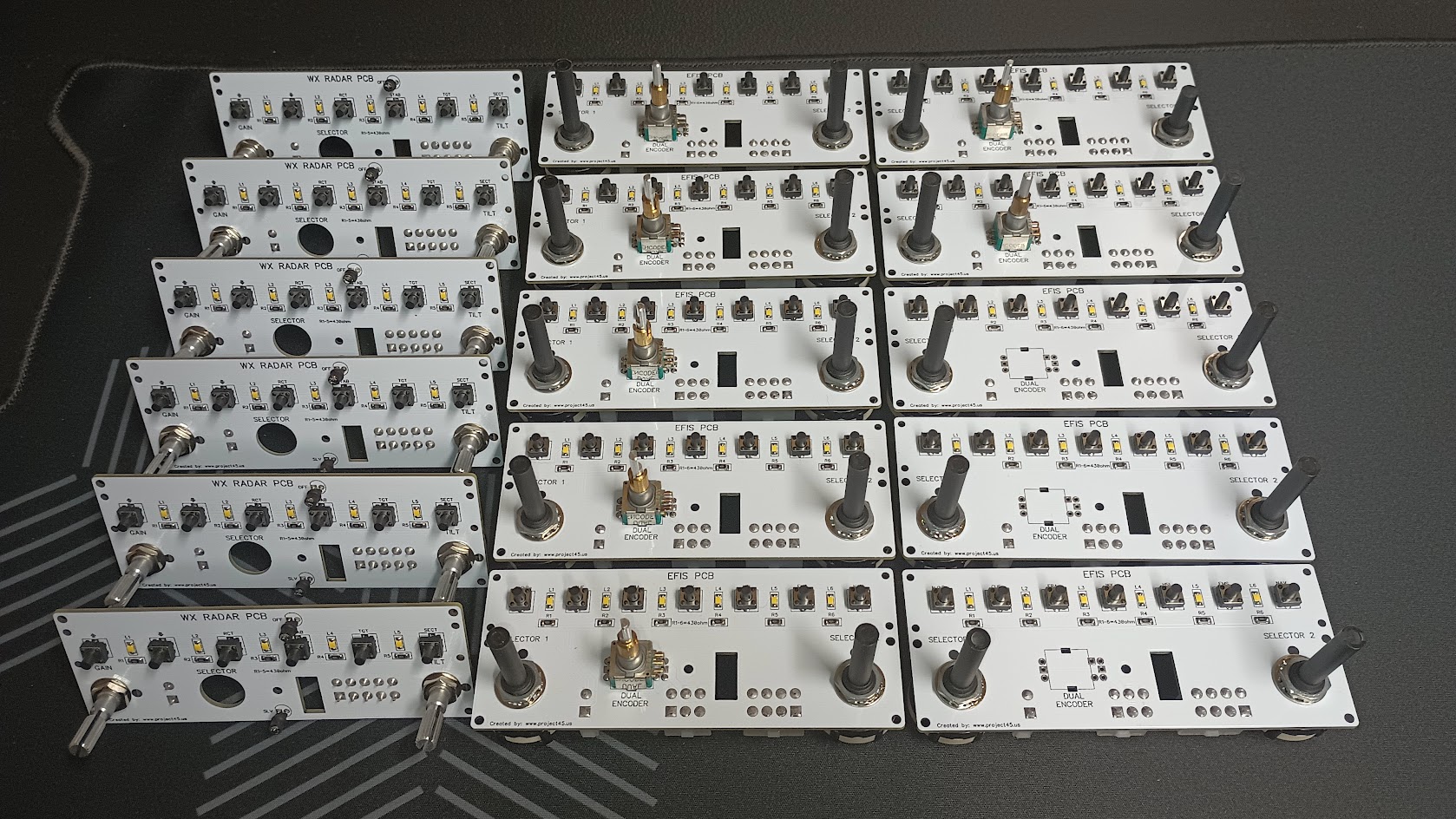
Forum NavigationEFIS & WX Radar v2.0 Development
#11 · September 29, 2023, 4:28 pm#12 · September 30, 2023, 4:45 am#13 · January 25, 2024, 9:24 am#14 · December 19, 2025, 10:04 pm#15 · January 6, 2026, 10:36 am#16 · August 29, 2026, 4:09 pm#17 · September 19, 2026, 11:42 am#18 · October 3, 2026, 11:00 amMark Speechley and TerryC have reacted to this post.Mark SpeechleyTerryC
2017-10-10